What is a translation key? Definition, examples, and best practices

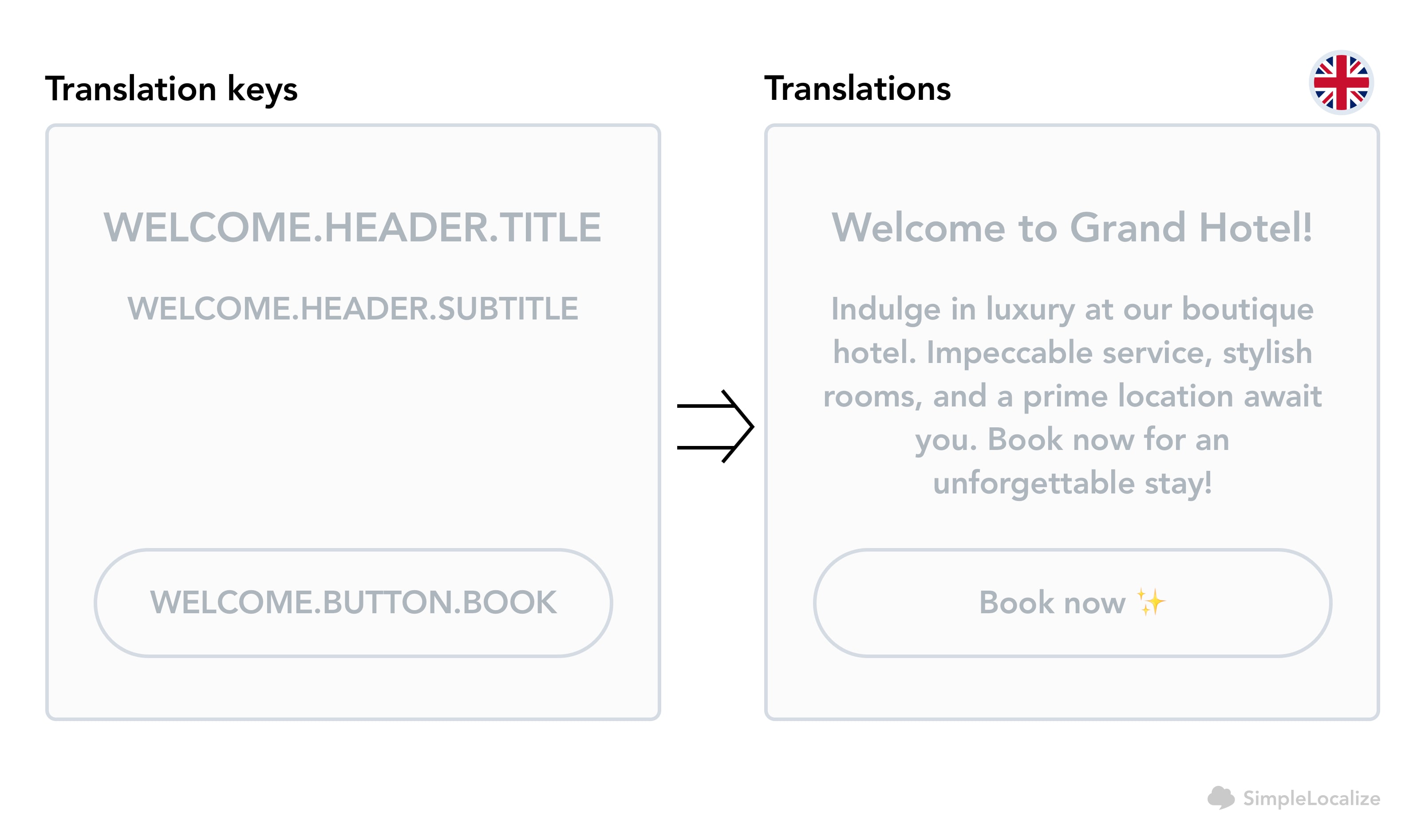
A translation key is the identifier that connects a specific piece of user-facing text in your codebase to its translated versions in every language you support. Instead of hardcoding text directly into components and templates, you reference a key, and the i18n library resolves it to the correct string at runtime based on the active locale.
This separation of application logic from language content is the foundation of every scalable multilingual system. Without it, every language change requires touching the codebase. With it, translators can update content without involving developers at all.
This post covers what translation keys are, how they look across different file formats and frameworks, how to name them well, and what happens when you don't.
This article is part of our complete technical guide to internationalization (i18n) & software localization.
How translation keys work
When a developer adds a new UI string, they introduce a translation key rather than embedding text. At runtime, the i18n library looks up that key in the active locale's translation file and returns the corresponding string.
A simplified example in React with react-i18next:
// Without i18n: hardcoded, untranslatable
<button>Save changes</button>

// With i18n: key resolved at runtime
<button>{t("settings.save_changes")}</button>
The key settings.save_changes maps to language-specific content stored separately:
// en.json
{
  "settings": {
    "save_changes": "Save changes"
  }
}

// es.json
{
  "settings": {
    "save_changes": "Guardar cambios"
  }
}
The application code stays the same regardless of how many languages you add. Only the translation files change.
What a translation key looks like
Translation keys are plain strings. The format depends on the i18n library and your team's conventions. Common patterns:
| Style | Example |
|---|---|
| Dot-separated (most common) | settings.save_changes |
| Namespace-prefixed | settings:save_changes |
| Flat uppercase | SETTINGS_SAVE_CHANGES |
| camelCase | settingsSaveChanges |
There is no universal standard. What matters is that your team picks one convention and applies it consistently across the entire codebase. Mixing styles creates confusion and makes automated tooling harder to apply.
Keys in different file formats
Translation keys appear in every major localization file format, just with different syntax:
JSON (JavaScript, TypeScript)
{
  "checkout": {
    "place_order": "Place order",
    "total_label": "Total"
  }
}
YAML (Ruby, configuration-heavy systems)
checkout:
  place_order: Place order
  total_label: Total
Android XML (strings.xml)
<resources>
  <string name="checkout_place_order">Place order</string>
  <string name="checkout_total_label">Total</string>
</resources>
iOS .strings
"checkout.place_order" = "Place order";
"checkout.total_label" = "Total";
The key is the same concept in all of them: a stable identifier that the application uses to look up content, and that translators update without touching code.
Translation keys vs. hardcoded text
The practical difference becomes clear in a real scenario. Imagine a checkout button that needs to work in English, Spanish, and Japanese.
Without keys, you either ship in one language, or you scatter conditional logic through your components:
// Don't do this
const label = locale === "es" ? "Realizar pedido" : "Place order";
With keys, the component stays simple:
<button>{t("checkout.place_order")}</button>
And translators handle every new language without a code change. This is the separation that makes continuous localization possible.
Naming translation keys well
Poor key naming is one of the most common sources of localization debt. Keys that made sense when written become ambiguous, duplicated, or misleading as the product evolves.
Use descriptive, context-aware names
A key should communicate what it represents, not just what the current English text says.
// Too literal: breaks if the English copy changes
"enter_your_name_or_booking_id_here"

// Better: stable, descriptive
"search.booking_id_input.placeholder"
If someone reads the key without seeing the English value, they should have a good idea of where it appears and what it does. This context matters enormously for translators working in a TMS, where they often see the key without the surrounding UI.
Reflect structure, not surface text
Keys often outlive the copy they were written for. A button labeled "Next" in English might become "Continue" in a copy refresh, but the key onboarding.step2.next_button remains accurate and doesn't need to change.
Avoid single-word flat keys
Keys like submit, cancel, or error look clean but cause real problems at scale. Different parts of the application may need slightly different translations of the same English word. "Cancel" in a modal might need a different register than "Cancel" in a subscription flow. Namespaced keys give translators the context they need.
// Problematic
"cancel"

// Better
"subscription.cancel_button"
"modal.discard_changes.cancel_button"
Keep them readable without special characters
Translation keys are referenced in code, passed through CLI tools, and stored in databases. Avoid spaces, special characters, and unpronounceable abbreviations. Dots, underscores, and hyphens work universally.
For a full set of conventions with more examples, see best practices for creating translation keys.
Common mistakes
Here are some of the most common issues teams fall into when creating translation keys:
-
Using the English text as the key
Keys like"Save changes"or"Please enter a valid email"seem convenient but create tight coupling between the key and the English copy. When copy changes, the key either becomes misleading or has to be renamed everywhere it's referenced. -
No namespacing or grouping
Flat key files with hundreds of entries become very hard to navigate, both for developers and translators. Use dot notation or file-level namespaces to group related keys together. -
Duplicate keys for the same content
Teams often createheader.home,nav.home, andsidebar.homefor what is effectively the same string. Duplication multiplies translation work with every new language. For truly shared strings, acommonnamespace works well. -
Keys that reflect temporary UI state
Keys tied to specific UI copy rather than semantic meaning require updates whenever copy is revised, even if the translation stays valid. Semantic names outlast copy changes.
How translation keys affect project size
Translation keys are how most modern localization platforms count project volume; not by word count, not by character count, and not by the number of languages.
The reason is straightforward: one key represents one piece of content regardless of how many languages you translate it into. A project with 500 keys translated into 8 languages has 500 keys and 4,000 individual translation strings (500 × 8), but its project size is still 500 keys. Adding a ninth language doesn't increase the key count.
This is covered in more detail in translation keys vs. strings.
Managing keys at scale
As codebases grow, translation key management becomes its own maintenance concern. Common tasks include:
- Finding keys that exist in the codebase but are missing translations in one or more languages
- Identifying and removing keys that are no longer referenced anywhere in the code
- Keeping key files organized and sorted so diffs are readable
- Sharing common keys across multiple apps or services without duplication These are covered in depth in:
- How to find and delete unused translation keys
- How to keep translation keys in order
- How to manage shared translation keys across projects
- Namespaces in software localization
Translation keys in SimpleLocalize
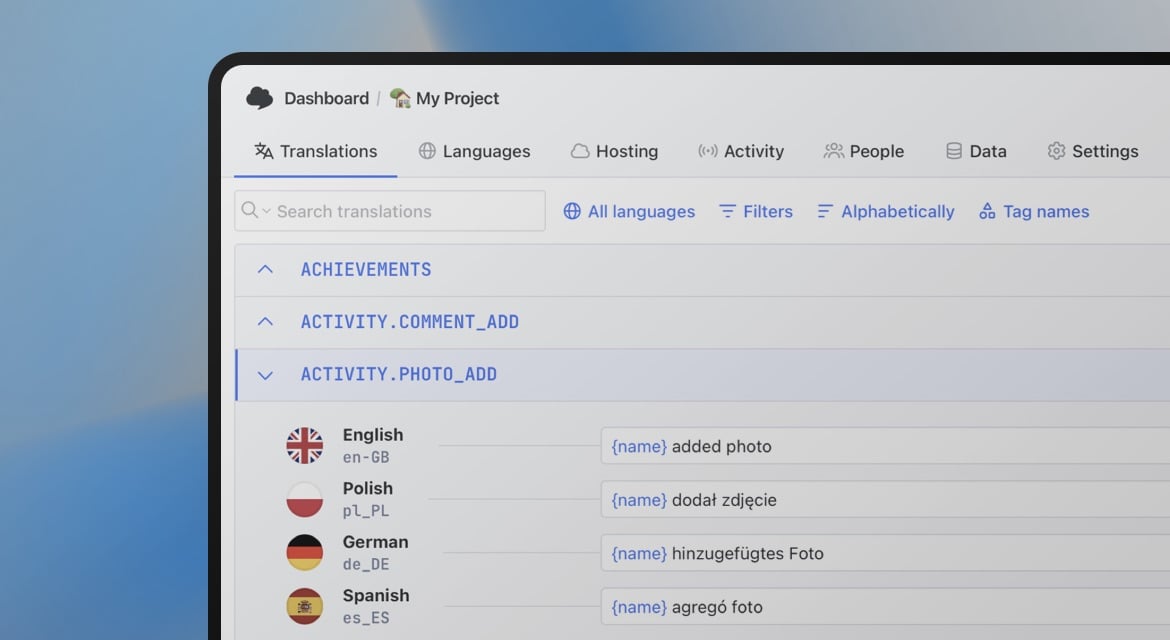
In SimpleLocalize, each translation key appears as a single row in the translation editor, with columns for every language you support. The key is the stable identifier; the cells next to it hold the translated values.
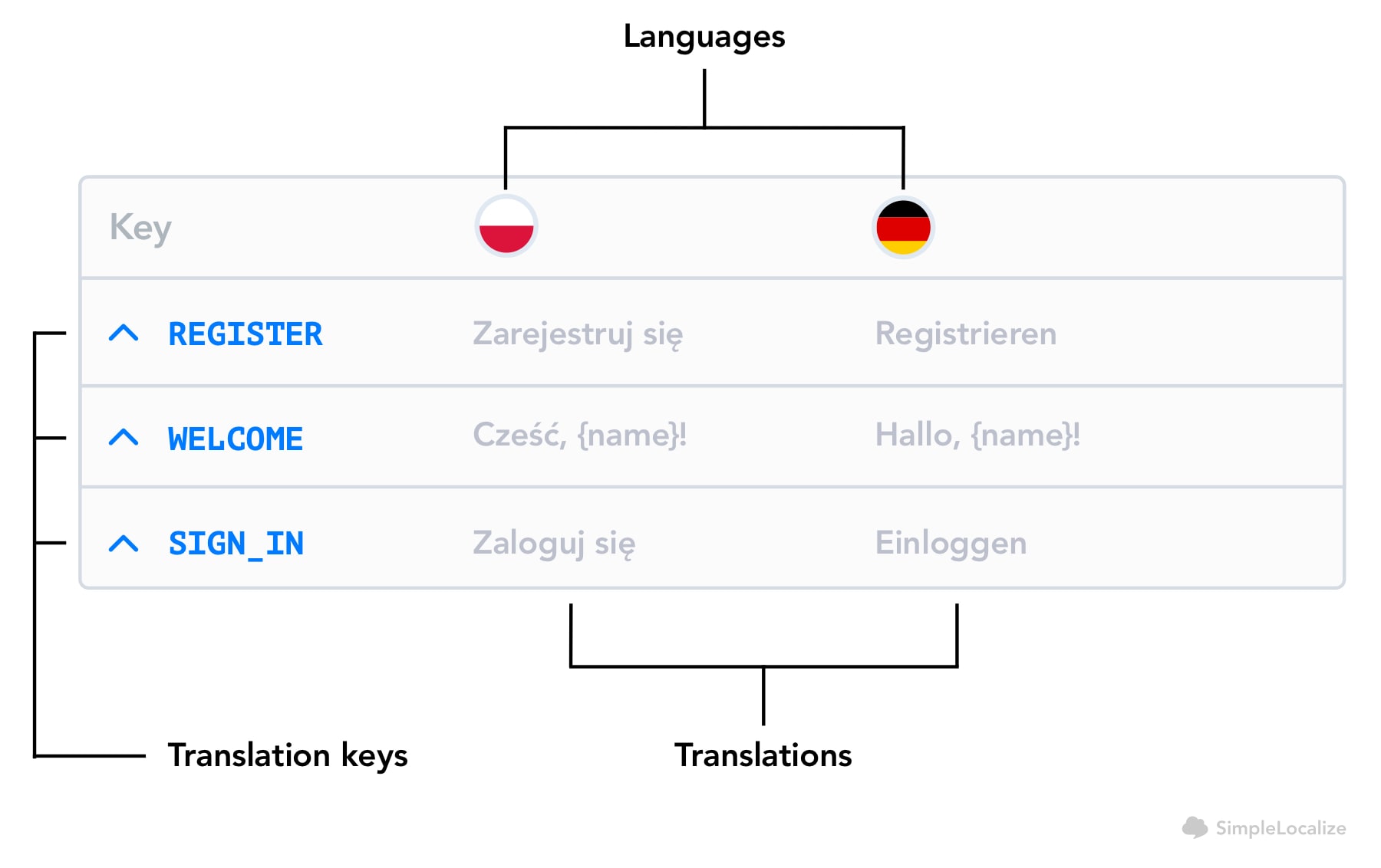
This makes it easy to see translation coverage at a glance: which keys have values in every language, which are missing translations, and which have been flagged for review. The editor also shows key-level context and descriptions, which helps translators understand what they're working with without needing to ask a developer.
Project size in SimpleLocalize is measured in keys, not words or characters. You can have translations in any number of languages without that affecting the key count.
--
Translation keys are the foundation everything else builds on. Get them right and adding a new language is a matter of hours. Get them wrong and every copy change, every new feature, every new market becomes more expensive than it needs to be.
If you want to see how key management works in practice, create a free SimpleLocalize project and import your existing translation files. You'll have a working editor with full key visibility in a few minutes.