Translation keys vs. strings: What's the difference?

Translation keys and strings are related but not the same thing, and the difference matters more than it might seem. Confusing them leads to poor file organization, inaccurate project size estimates, and occasionally choosing the wrong tooling or pricing tier.
This post explains what each term means, how they relate to each other, and why that relationship shapes how localization projects are measured and scaled.
This article is part of our complete technical guide to internationalization (i18n) & software localization.
What is a string?
In the context of localization, a string is a single piece of translated text in a specific language. It's the actual content a user sees: a button label, an error message, a heading, a tooltip.
Every string belongs to exactly one language and one translation key. When you translate "Submit" into German as "Einreichen" and into Polish as "Zatwierdź", you have three strings: one English, one German, one Polish.
Watchout, some services may refer to strings as "words", but in SimpleLocalize, we use the term "strings" to represent the individual text elements that require translation.
What is a translation key?
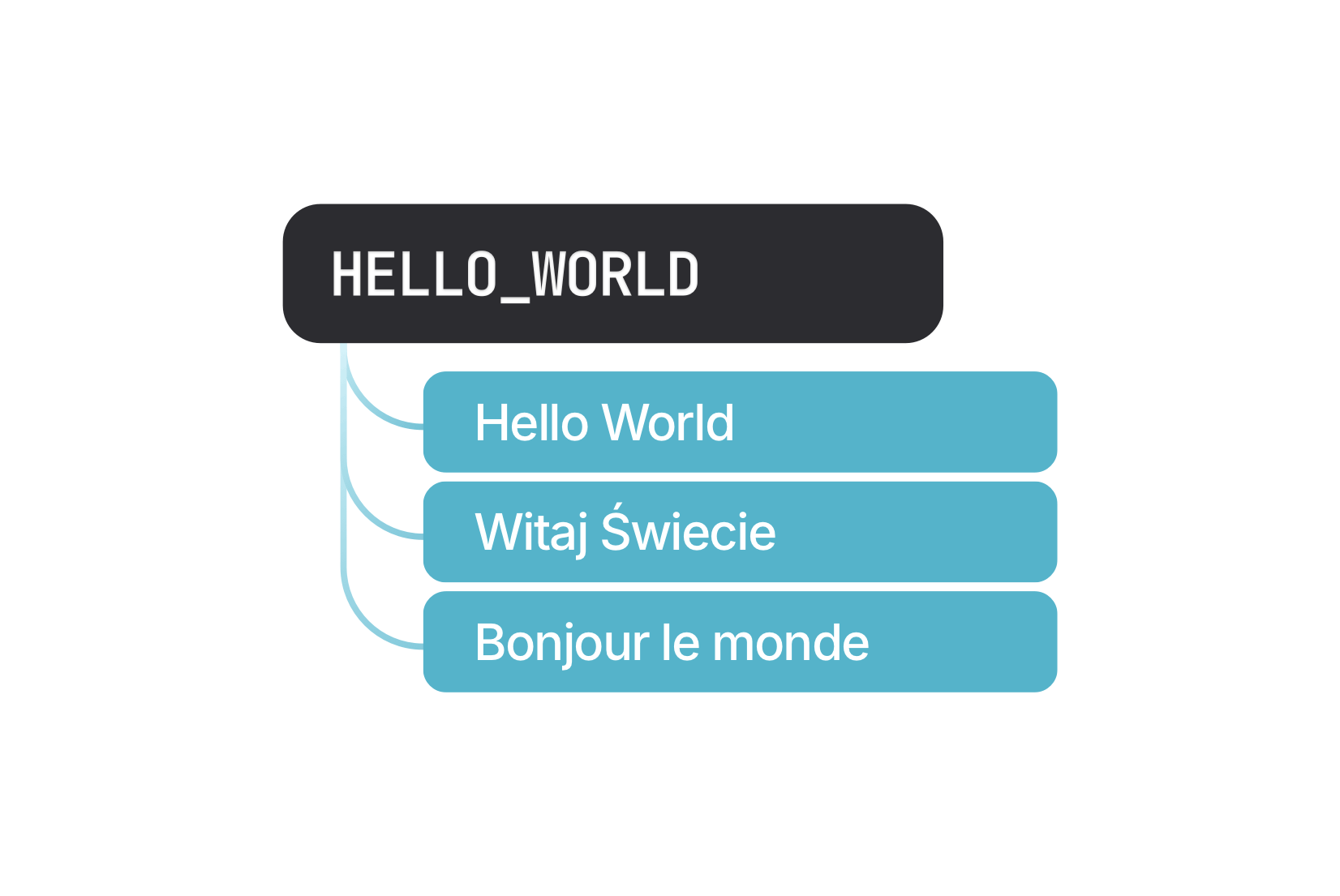
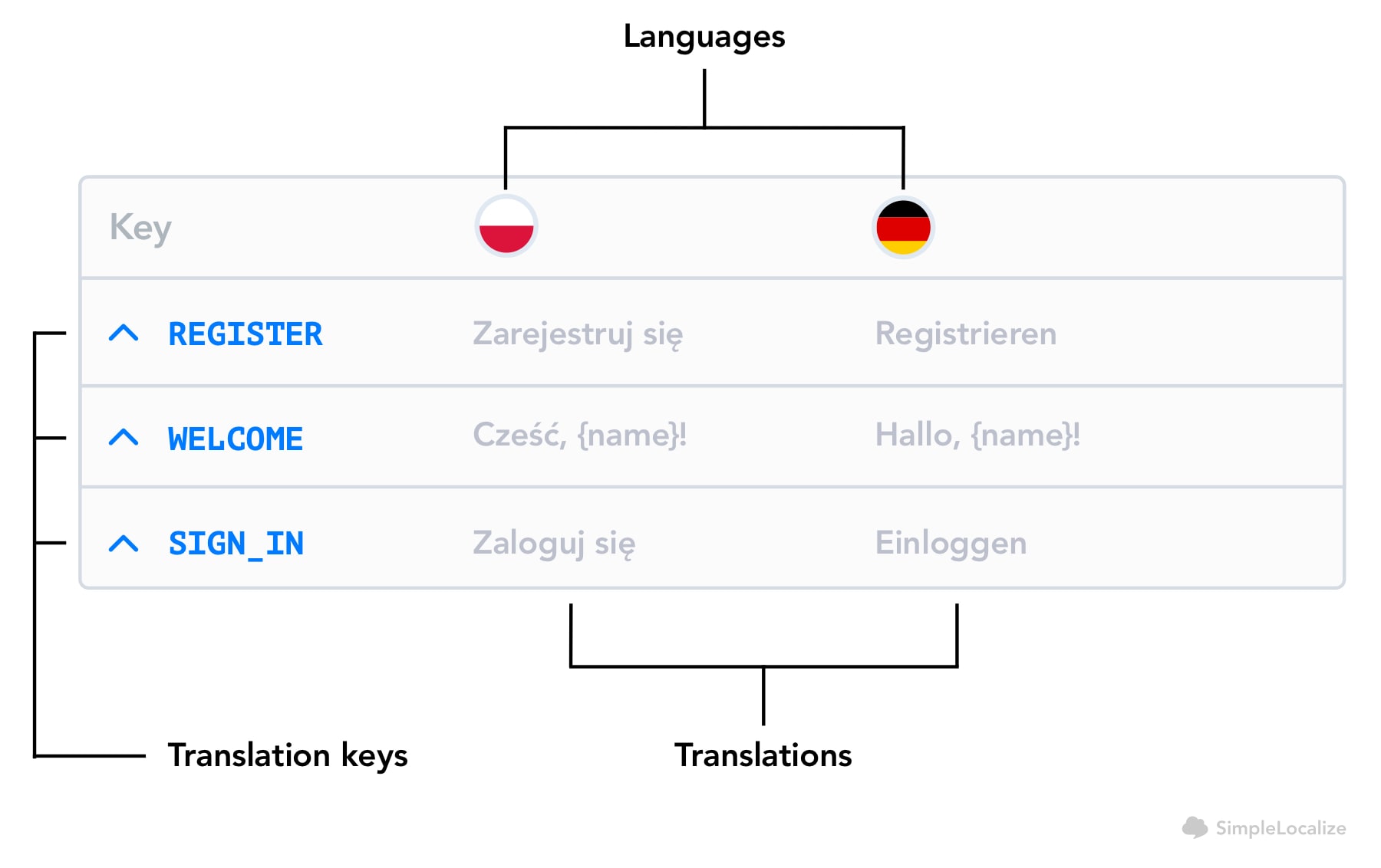
A translation key is the stable identifier that groups all the translations of a single piece of content across languages. The key lives in your codebase; the strings live in your translation files.
When a React component renders {t("checkout.submit_button")}, the key is checkout.submit_button. At runtime, the i18n library resolves that key to the appropriate string based on the active locale.
For a full explanation of how keys work across file formats and frameworks, see what is a translation key?
How they relate: an example
Check out the following example of a translation key with its translations in 4 languages:
{
  "checkout.submit_button": {
    "en": "Submit",
    "de": "Einreichen",
    "pl": "Zatwierdź",
    "fr": "Soumettre"
  }
}
In this example:
- 1 translation key:
checkout.submit_button - 4 strings: one per language The key is the container. The strings are its contents in each language.
Why the distinction matters
Project size is measured in keys, not strings
Most localization platforms, like SimpleLocalize, count project volume by translation keys. The rationale: a key represents one piece of content regardless of how many languages you translate it into. A project with 800 keys in 6 languages has 800 keys and 4,800 strings, but adding a seventh language doesn't change the key count, it adds 800 more strings to an existing set of 800 keys.
This is a meaningful distinction when estimating work. The question "how big is this project?" almost always means "how many keys are there?" not "how many total translated strings across all languages?"
Calculating keys from strings
If you know the total string count and language count, you can derive the key count:
translation keys = total strings / number of languages
In practice it's even simpler: the number of keys equals the number of strings in your source language. Every key has exactly one source string.
Example: A project with 1,200 total strings across 6 languages has 200 translation keys (1,200 ÷ 6 = 200). Adding a seventh language adds 200 more strings but the key count stays at 200.
Adding languages doesn't increase key count
This is worth stating explicitly because it surprises many teams. If you have a mature product with 2,000 keys translated into 5 languages and you decide to add Japanese and Korean, you now have 4,000 additional strings to translate, but your project still has 2,000 keys. The scope of new translation work scales with languages; the structural size of the project (in keys) does not.
This is one reason key-based pricing tends to be more predictable for growing teams than word-based or string-based pricing models. See why your TMS doesn't have to cost a fortune for more on that.
Other terms
Some platforms and tools use different terminology for the same concepts:
- "Words" sometimes refers to strings in older TMS platforms. This can be confusing because a single string might be one word or fifty. When a platform says "unlimited words", read the fine print to understand whether they mean unlimited strings or literally unlimited word count.
- "Messages" is the term used by FormatJS (react-intl) for what most other systems call translation keys.
- "Source strings" refers specifically to the strings in the original language (usually English) before translation, which is equivalent to the key count in a fresh project. The concepts are the same; only the labels differ.
How this works in SimpleLocalize
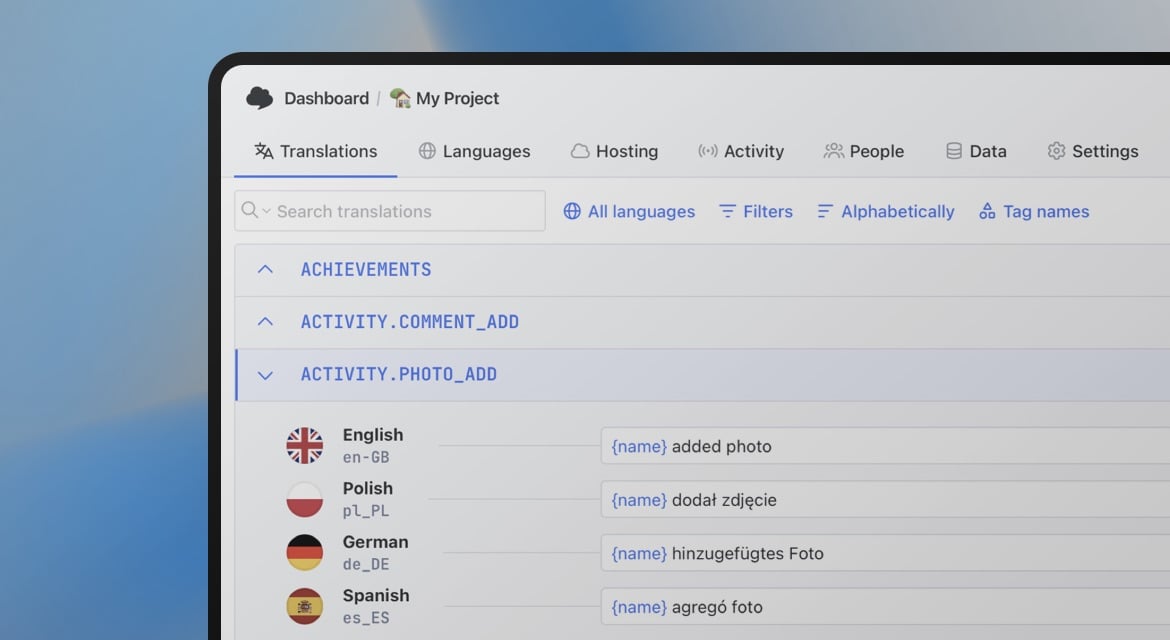
SimpleLocalize counts project size by translation keys. When you look at the translation editor, each row is a key. The columns next to it contain strings, one per language.
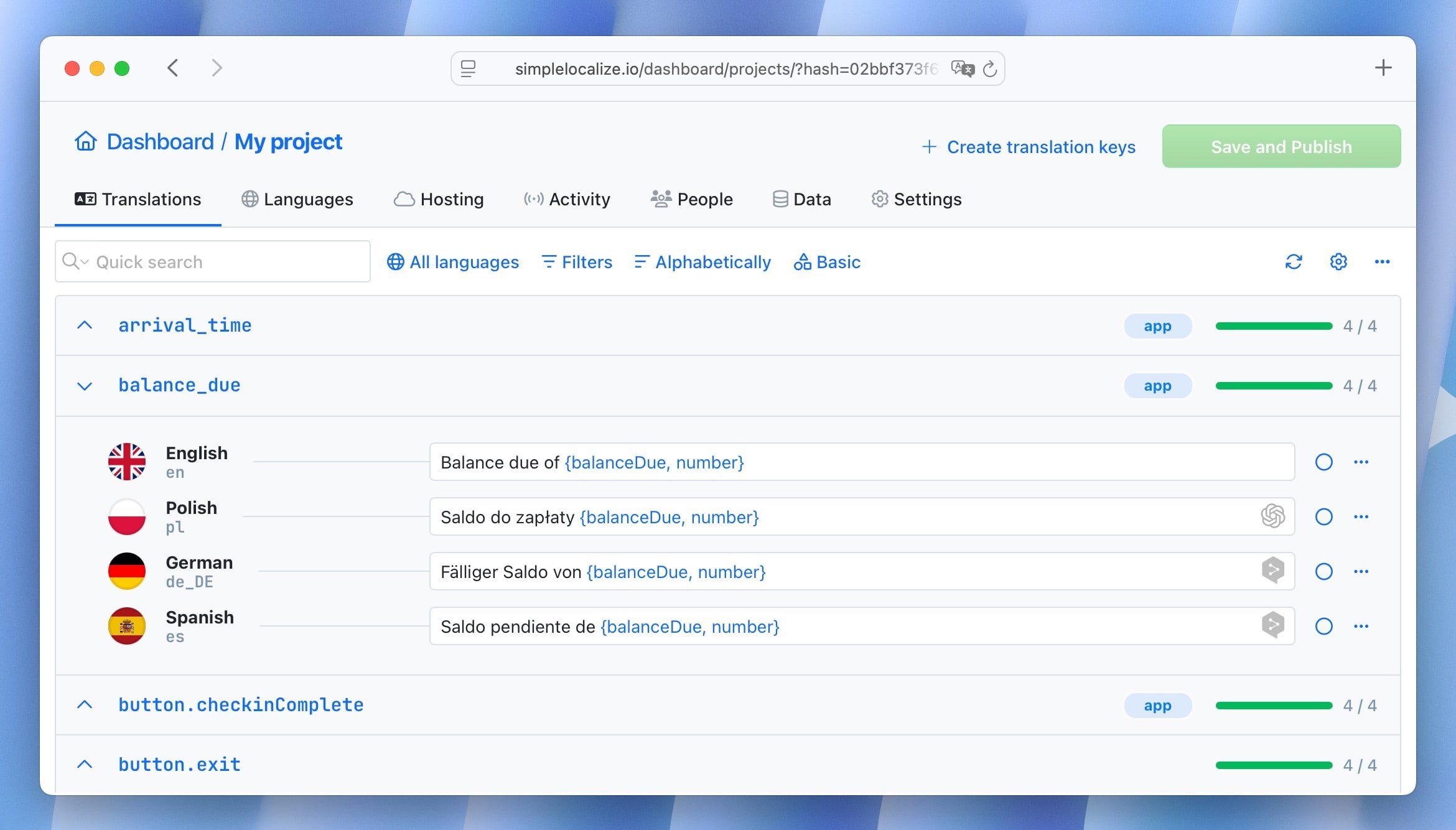
Your plan determines how many keys your project can have. Strings (the translations themselves) are unlimited across all plans: you can add as many languages as your project needs without affecting the key count.
If you reach your key limit, you can add a key pack without changing your plan. There's no penalty for having thorough translations across many languages.
To get started, sign up and check out our getting started guide or import your existing translation files directly.