ImprovedPublic Suggestions
Public Suggestions: Ignore suggestion
We have added a new option to ignore public suggestions in the Translation Editor. This allows you to dismiss suggestions that are not relevant or useful for your translations, keeping your pending suggestion list clean and focused on the most important suggestions. You can Unignore suggestions later if you change your mind.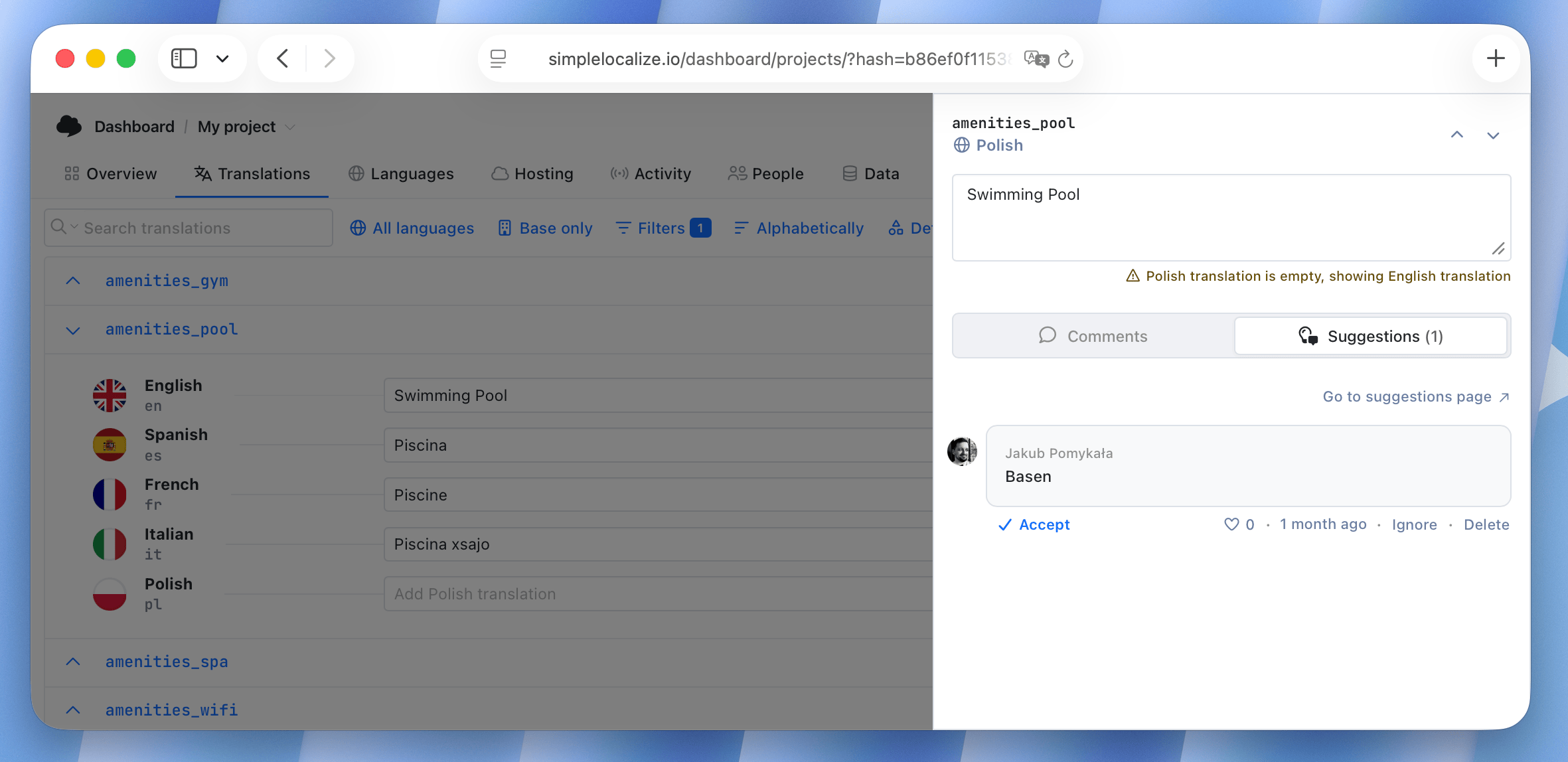
ImprovedFilters
Filters: Translations the same as source
We have added a new option to the Translation filter in the Translation Editor to help you quickly find translations that are the same as the source text. It can be combined with other filters, e.g. languages, to find translations that are the same as the source in a specific language.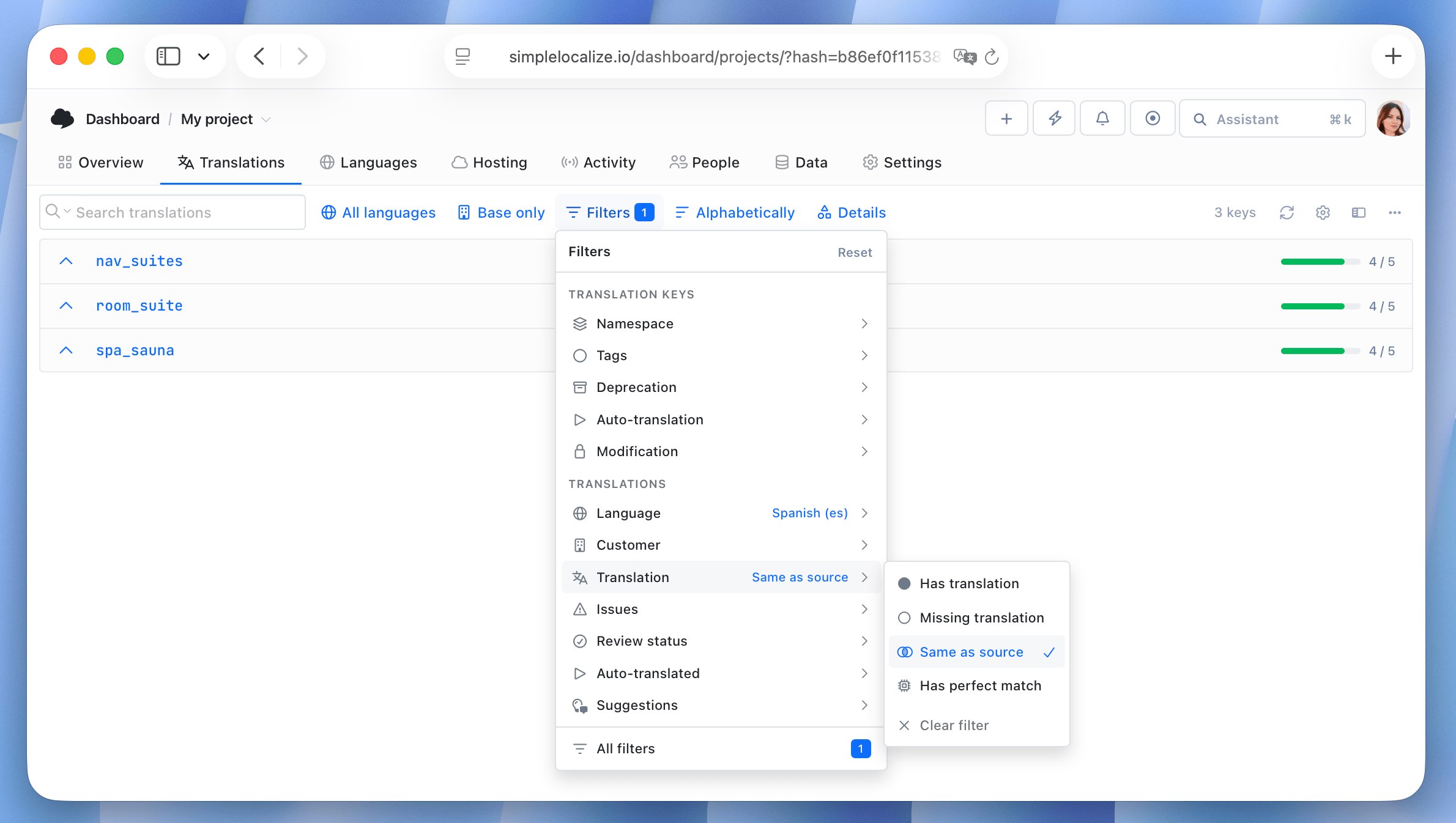
ImprovedTranslation Memory
Translation Memory: Perfect matches improvements
We've improved how perfect matches work in Translation Memory, making them easier to find and apply to your translations. Here's what's new:- Filter perfect matches in the Translation Editor to quickly locate translations with a match in Translation Memory.
- Apply perfect matches to empty translations using the new "Apply perfect matches" option in the Translation Editor (accessible via right-click context menu).
- See the count of perfect matches in your project Overview tab. Click to filter and quickly apply them to translation keys.
ImprovedOverview
Overview: QA checks summary
Check critical QA issues in your project at a glance with the new QA checks summary in the Overview tab. The summary provides a quick overview of the number of QA issues and their types. Click on the issue type to filter translation keys in the Translation Editor and quickly address the issues.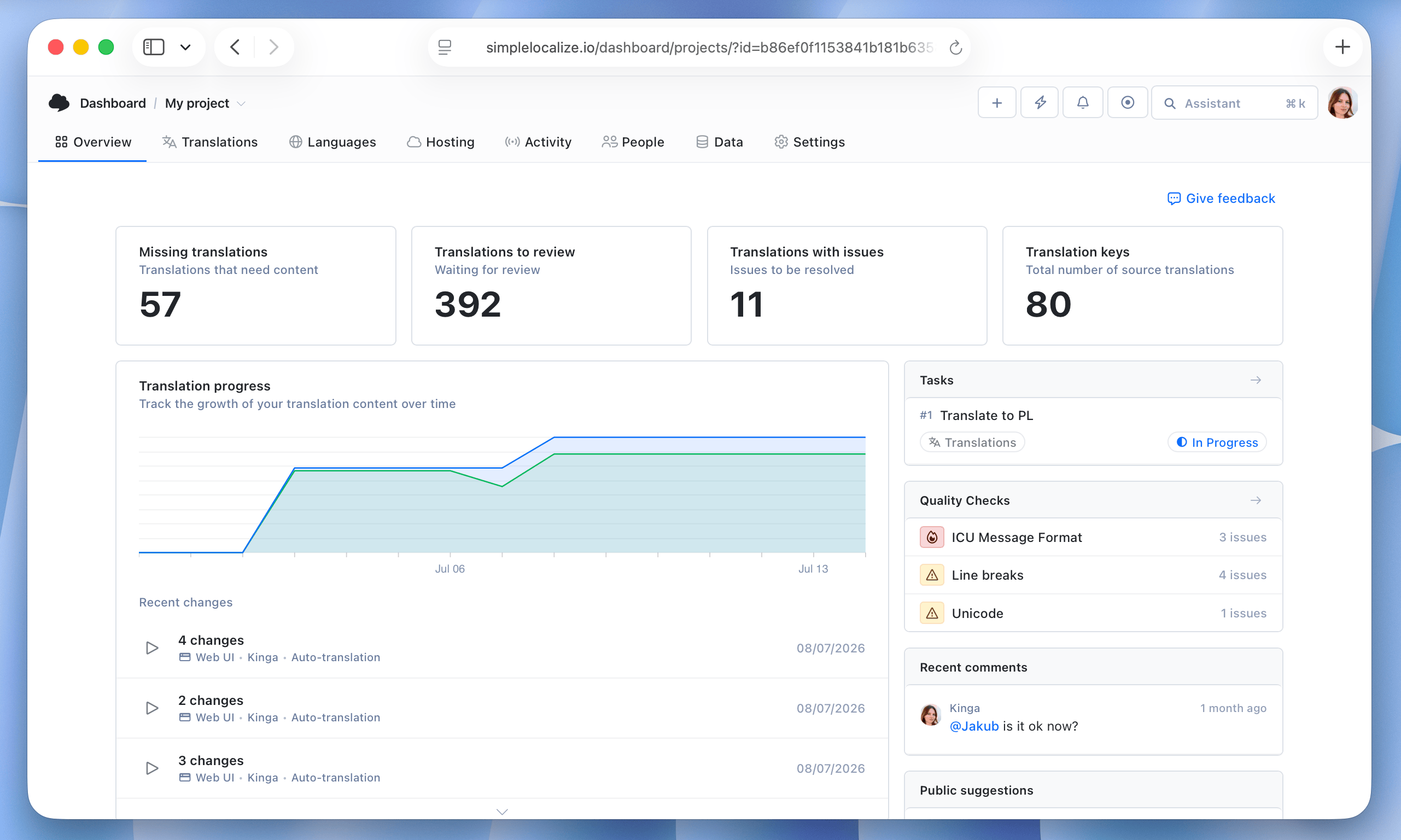
ImprovedImport/Export
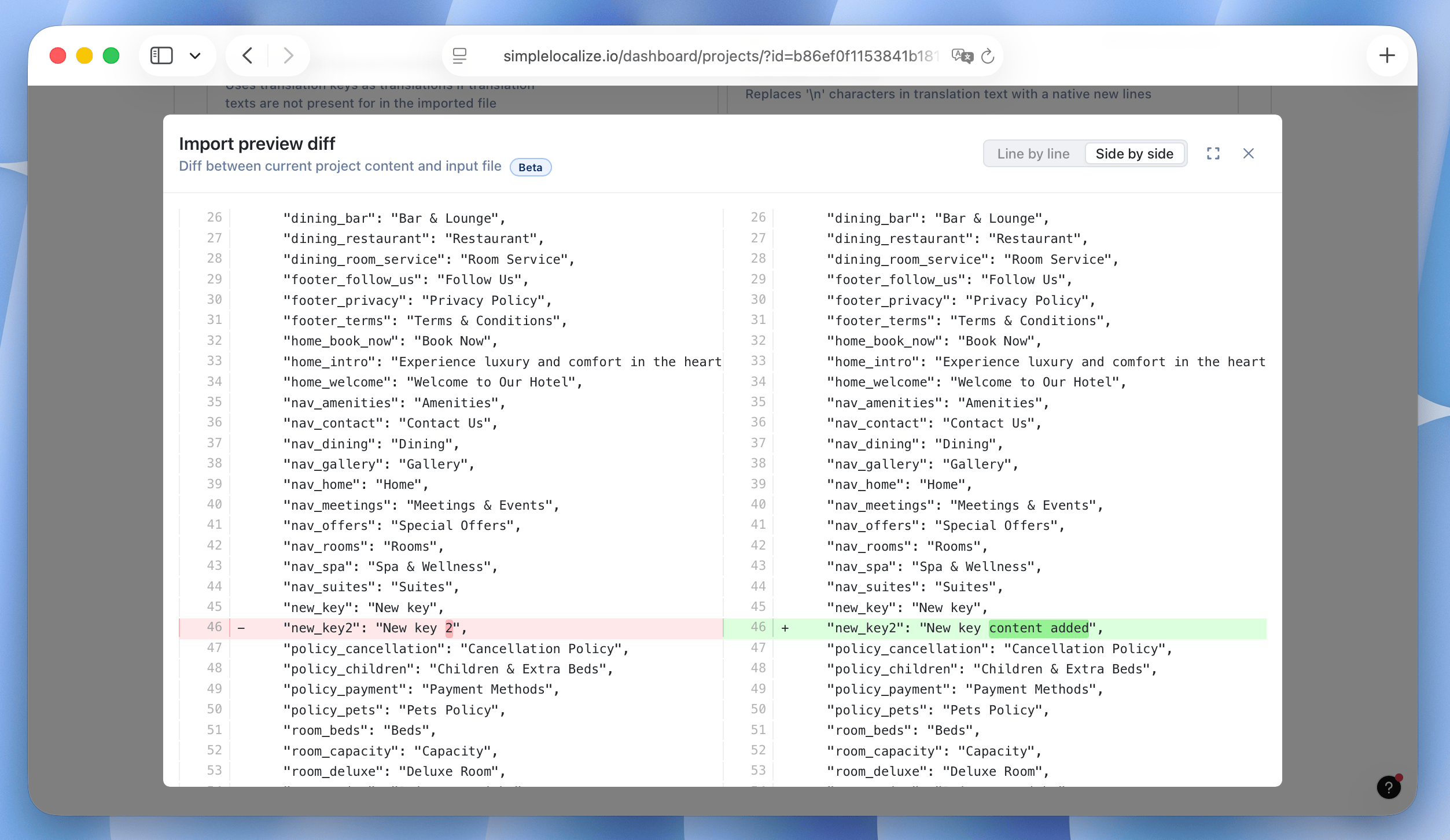
Import preview diff view
We have added a new preview diff view for imports, giving you an option to see the changes that will be made to your translations before confirming the import.In import preview, switch to the Translation changes tab and click the View diff option to see the differences between the current translations and the imported ones in a side-by-side or an inline view.
ImprovedGitHub App
GitHub App: Customize commit message
You can now customize the commit message for translation changes pushed to your GitHub repository via the GitHub App integration. This way you can include relevant information in the commit message, such as the project name, language, or any other details that help you identify the changes made to your translations.Learn more in our GitHub App documentation.
ImprovedQA Checks
QA Checks: New check invalid JSON structure
For translation keys with JSON content, we have added a new QA check that validates the JSON structure of translations. This check helps prevent issues caused by invalid JSON formatting, ensuring that translations are correctly structured and can be parsed without errors.ImprovedShopify
Shopify: Push only selected translation keys
You can now push only selected translation keys with translations to your Shopify store using the right-click context menu in the Translation Editor. This allows you to selectively update translations in your Shopify store without having to push all translations at once.ImprovedFiltersPublic Suggestions
Filters: Show translations with pending public suggestions
We have added a new option to the Suggestions filter in the Translation Editor to help you quickly find translations with pending (not yet approved) public suggestions.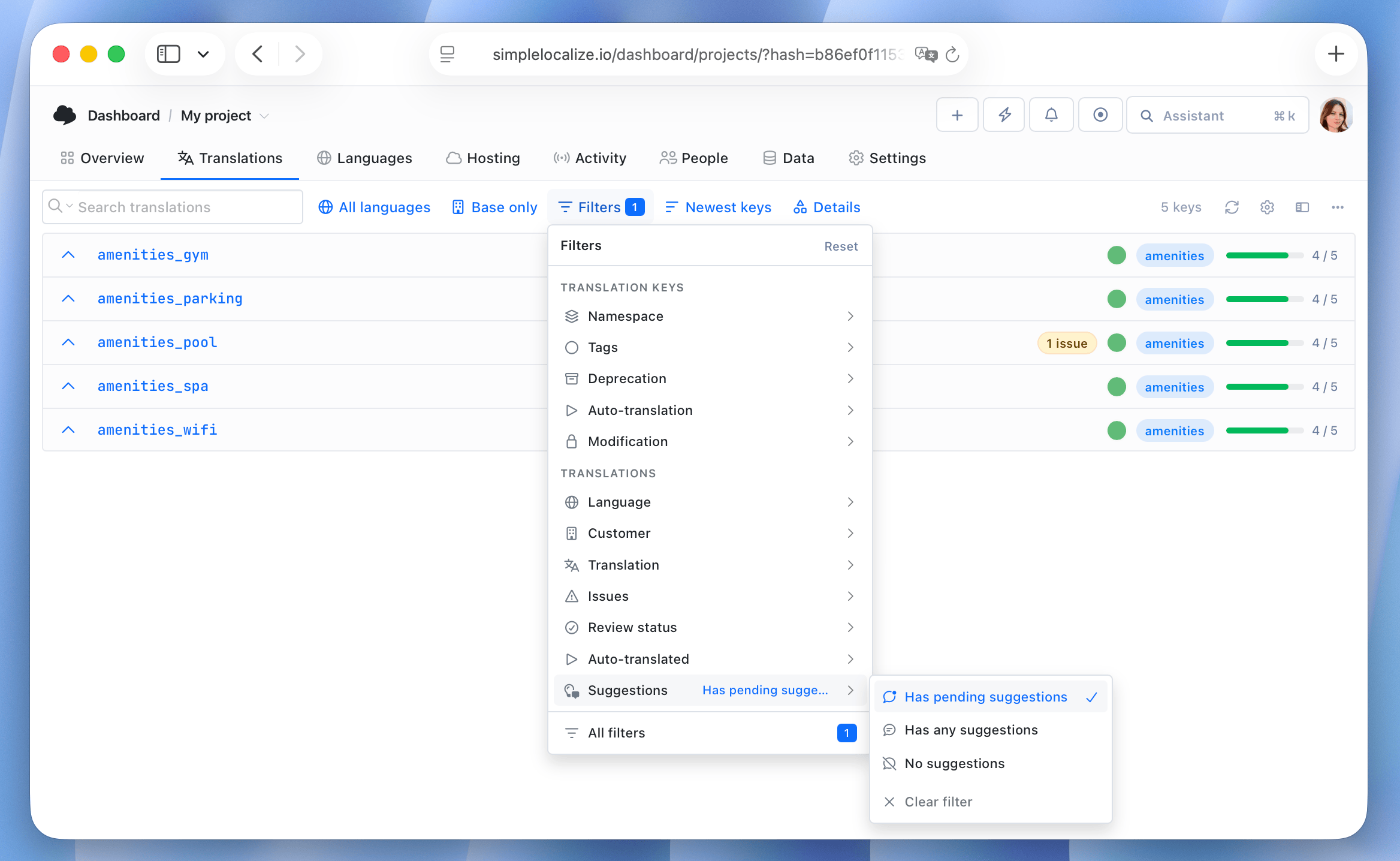
ImprovedTranslation Editor
Improved auto-translation via Bulk Actions
When you run auto-translation via Bulk Actions, the modal will now close and you will see a progress bar in the top right corner of the Translation Editor. This way you can continue working on other translations while the auto-translation process is running in the background.ImprovedTranslation Editor
Warning about conflicting translation keys
When adding new translation keys, we now automatically check for potential conflicts with existing ones. A warning will appear if a new key differs only in letter casing from an existing key, or if it could cause conflicts in nested JSON structures, helping you catch and prevent translation issues before they occur.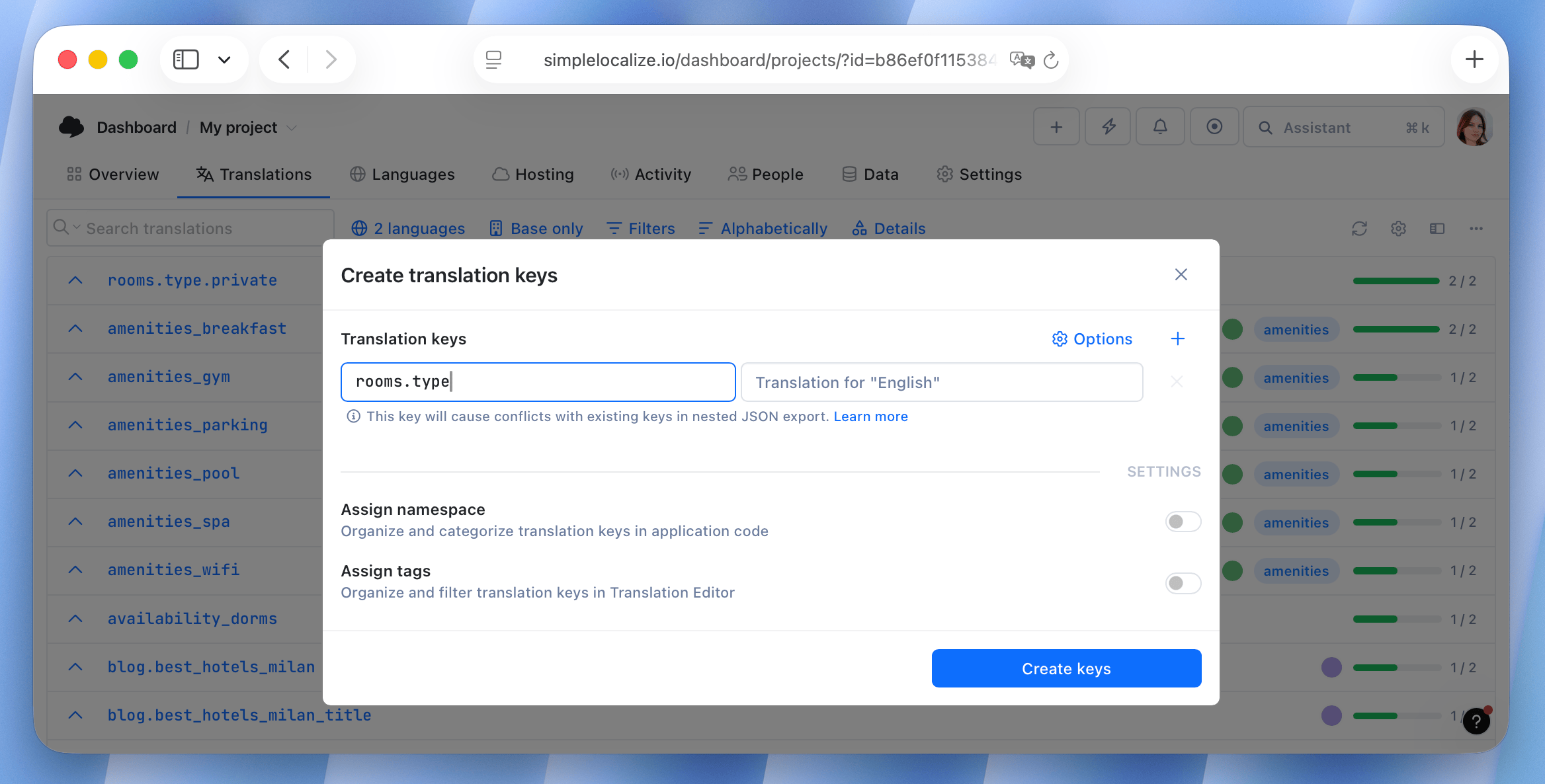
ImprovedTranslation Editor
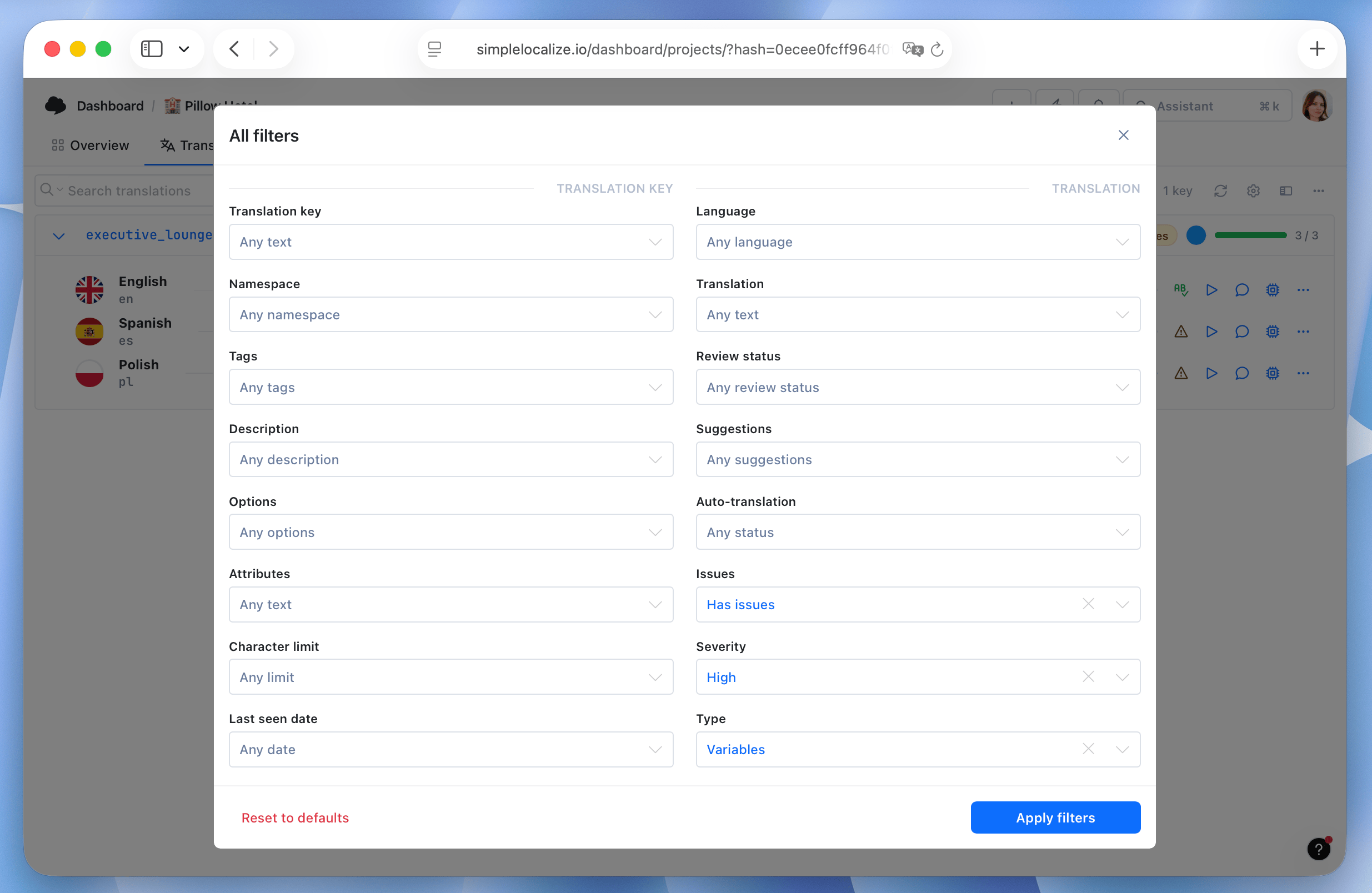
Filter by issue severity and QA check type
We have added new filters in the Translation Editor to help you quickly find translation keys with specific QA issues. You can now filter by:- Issue severity: Filter translation keys based on the severity of QA issues (high, medium, low).
- QA check type: Filter translation keys based on the type of QA check that generated the issue (e.g., variables, length, formatting, etc.).
NewGlossary
Glossary: New UI, auto-translation and QA checks
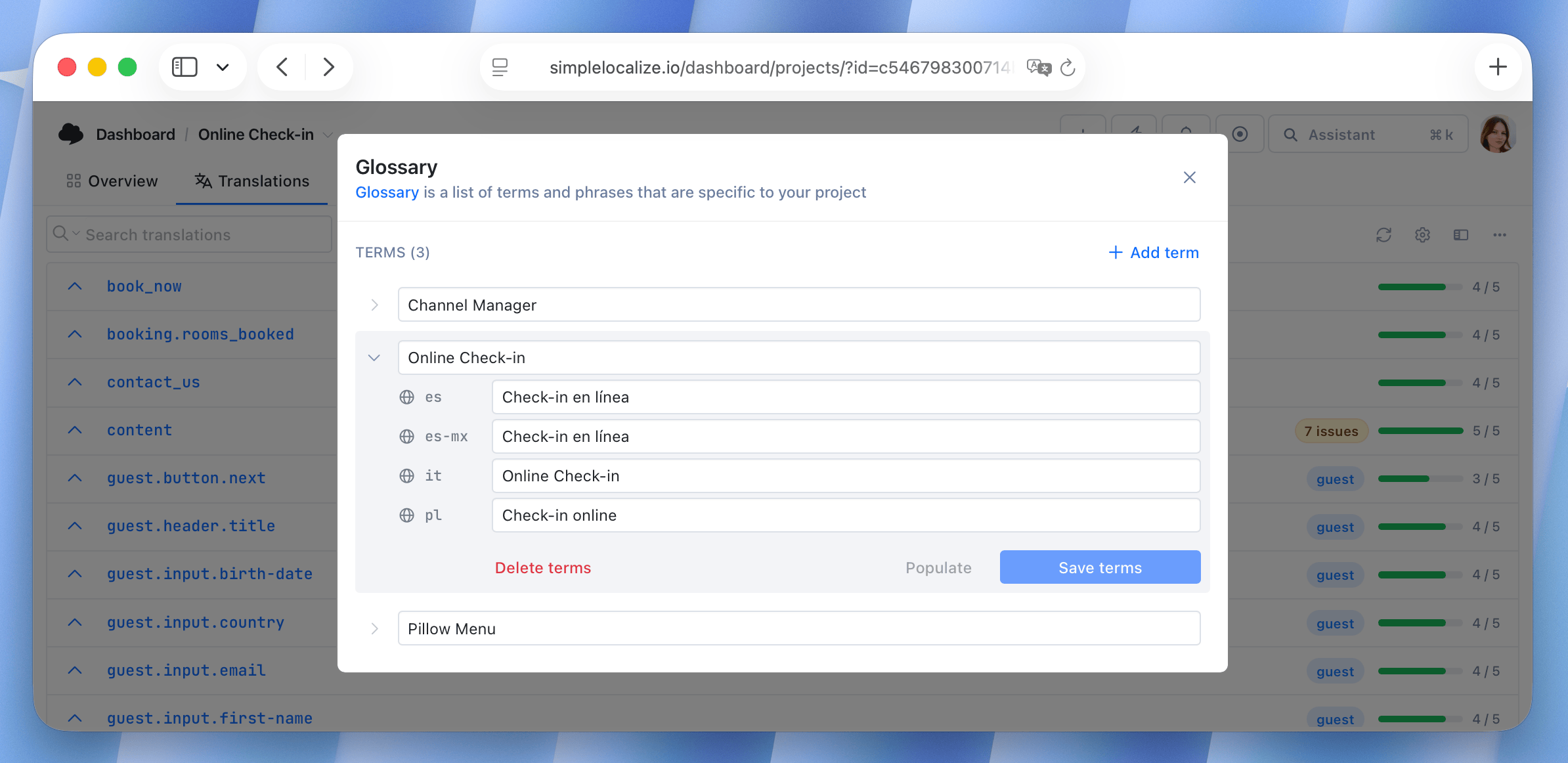
We have completely redesigned the Glossary feature to make it more user-friendly and powerful. Key updates include:- New user interface for easier navigation and management of glossary entries, available also for translators in the Translation Editor.
- An option to populate glossary entries for faster terms management.
- Glossary entries are now checked by QA checks to ensure consistency and accuracy in translations.
- Glossary entries are now used in auto-translation to improve translation quality and consistency.
- Glossary entries are also available in the Translation Memory to improve match accuracy.
- Glossary is now available in all paid plans.
ImprovedTeam Collaboration
Option to resend invitation to project members
You can now resend invitations to project members who haven't accepted them yet. To do so, click the "Invited" label in the project members list or "Pending invitation" in the Team Management section.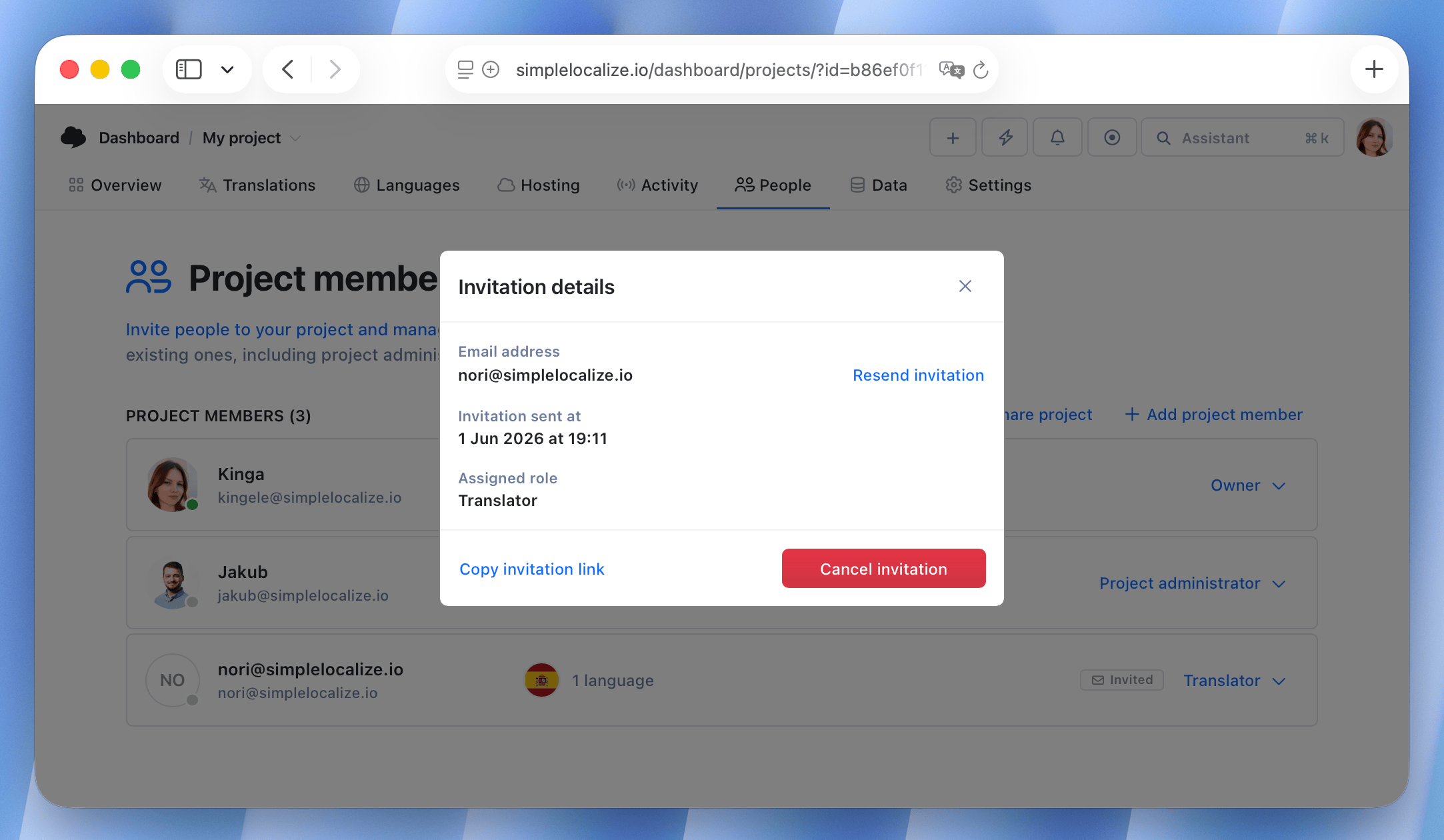
ImprovedTranslation Editor
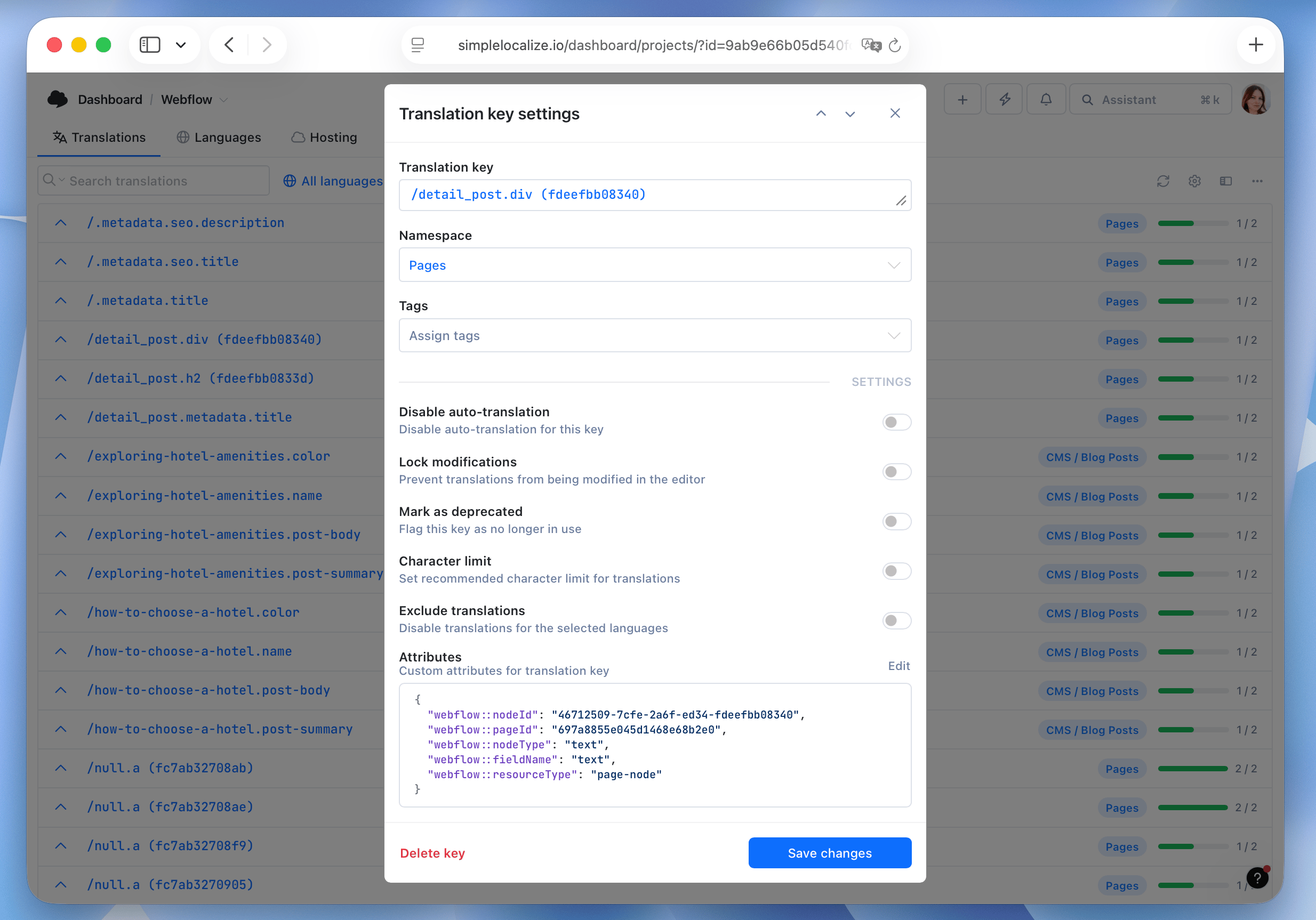
Translation key attributes
The new Attributes option in the translation key settings store additional information about the translation key. You can add custom attributes to translation keys, which can be used for various purposes, such as storing metadata, categorizing keys, or providing additional context for translators.You can also filter by attributes in the Translation Editor, making it easier to find and manage translation keys based on their attributes.
ImprovedTranslation Editor
Strict character limit for translations
In addition to the existing character limit warning, we have added a new option to enforce a strict character limit for translations. When this option is enabled, translators will not be able to add translations that exceed the specified character limit.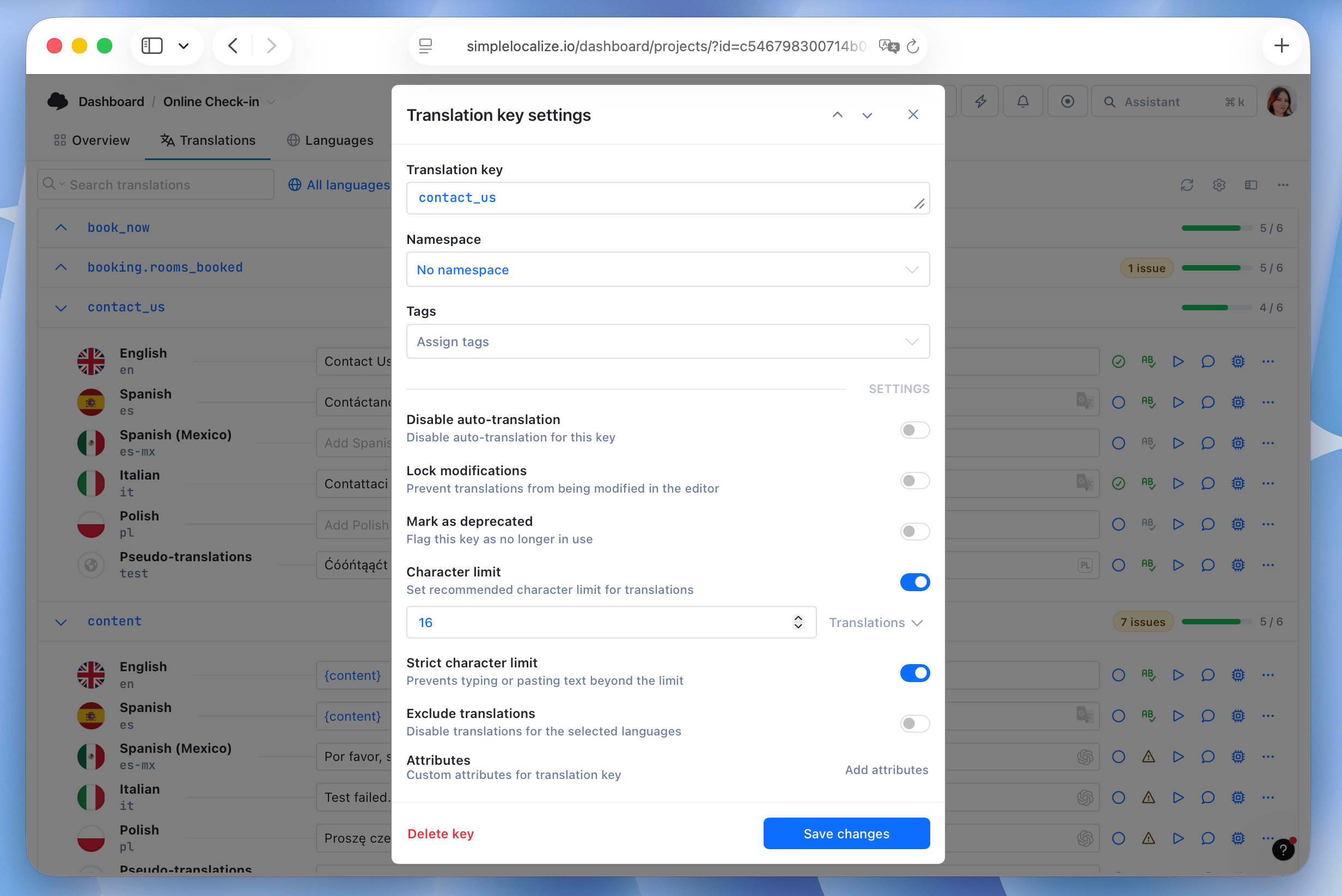
ImprovedStatistics
Language statistics: Number of words
Next to the number of characters in a language, you can now see the number of words. You can use this information for estimating translation costs, as many translation providers charge per word.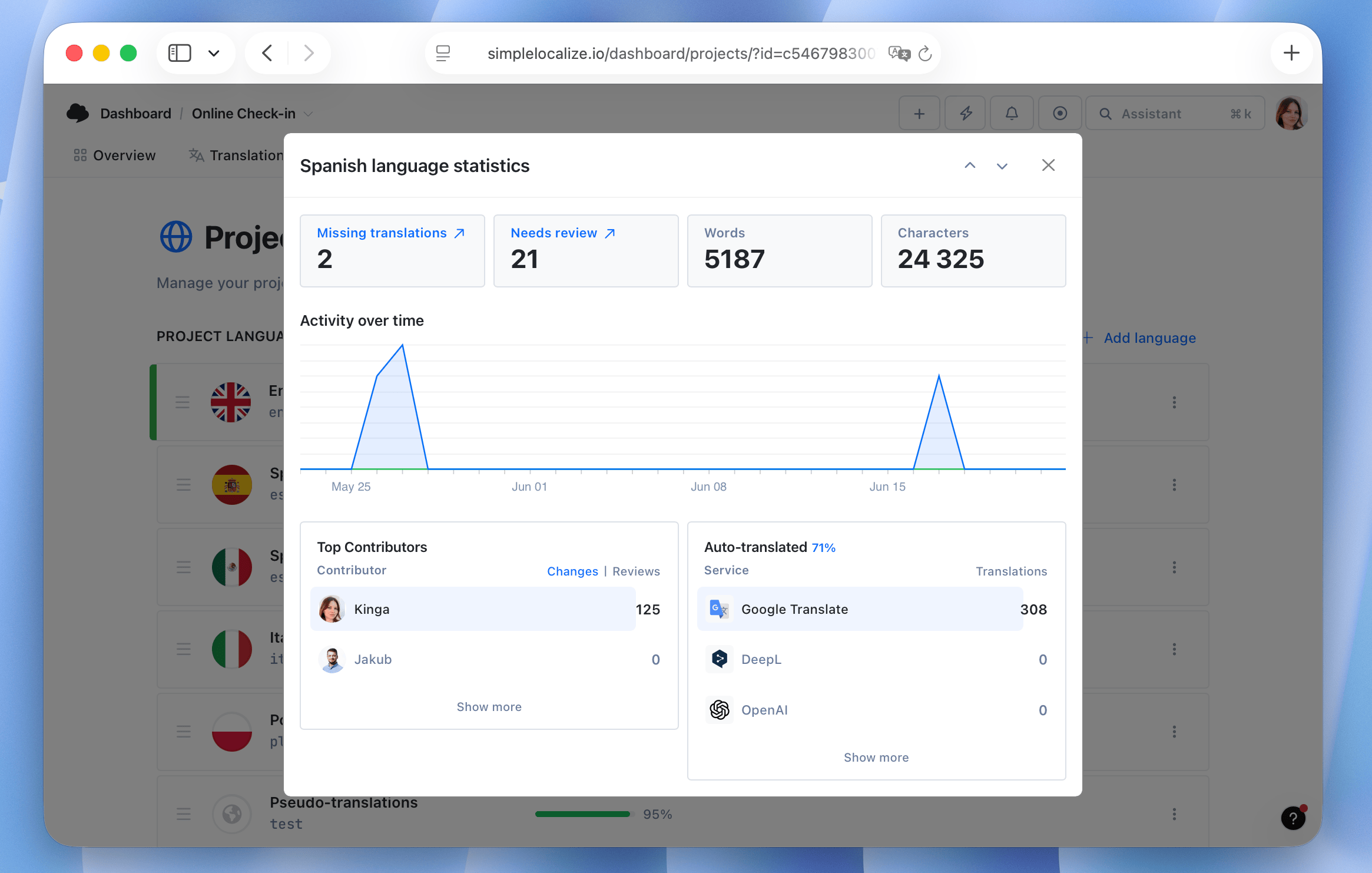
ImprovedTranslation Editor
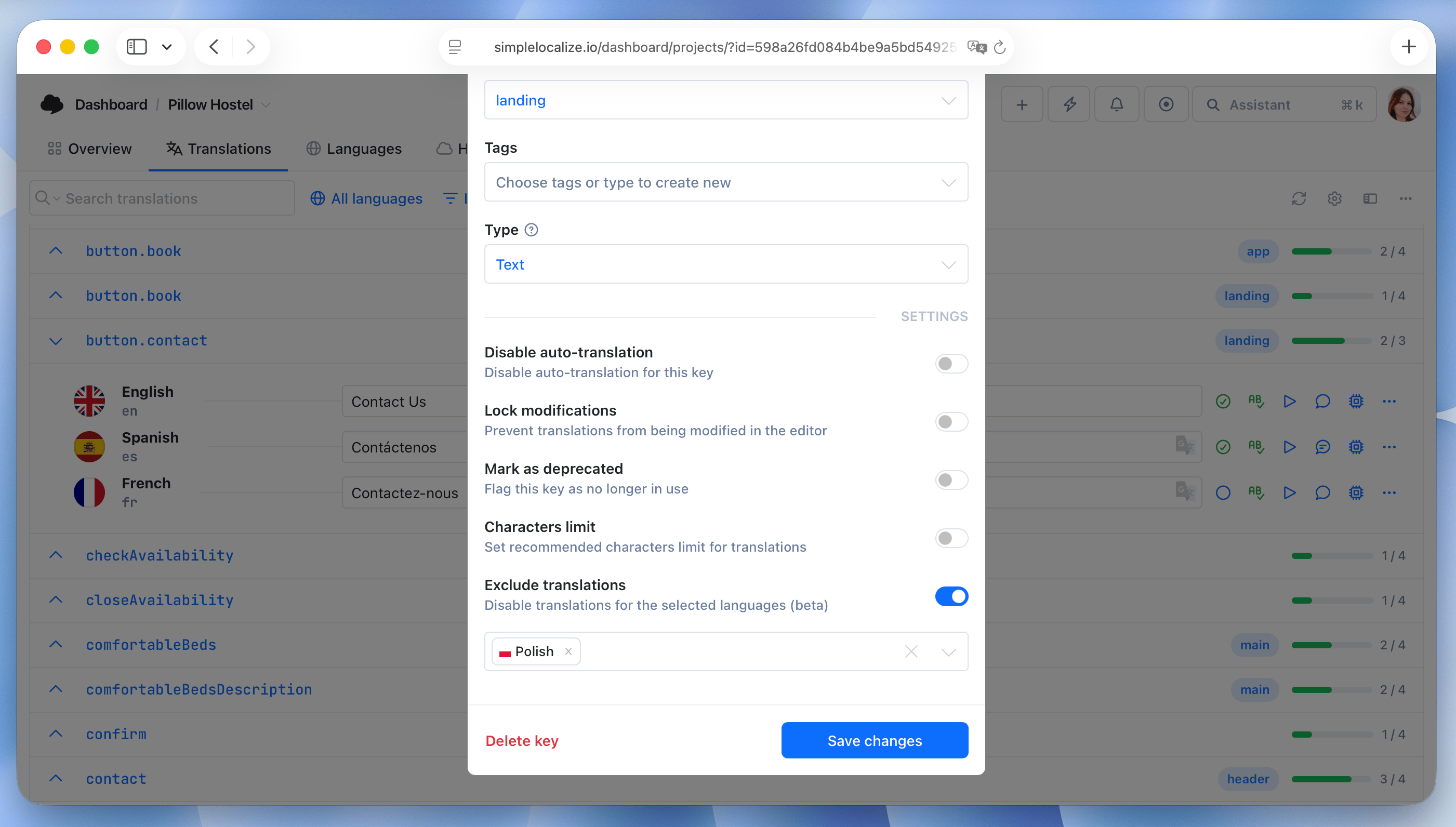
Option to exclude translations (beta)
We have added a new option to translation keys that allows you to exclude translations for specific languages. When you enable this option for a translation key and language, the translation will be excluded from exports and Translation Hosting. It will also be hidden in the Translation Editor.Use case: You have a translation key that is only relevant for a specific language or region, and you want to prevent it from being included in other languages. This way, you can keep your translations clean and avoid unnecessary translations for languages where the key is not applicable.
This feature is currently in beta, so make sure to enable beta features in your profile settings to see it. Check more details about this feature in our documentation.
ImprovedTranslation Memory
Translation Memory: improved match accuracy
We have improved the accuracy of Translation Memory matches. The system now better identifies similar translations, even when there are minor differences in wording or formatting.ImprovedTranslation Editor
Filters: number of filtered keys
We have added a simple counter that shows the number of translation keys currently filtered in the Translation Editor. This way, you can quickly see how many keys match your filter criteria, making it easier to manage and review translations.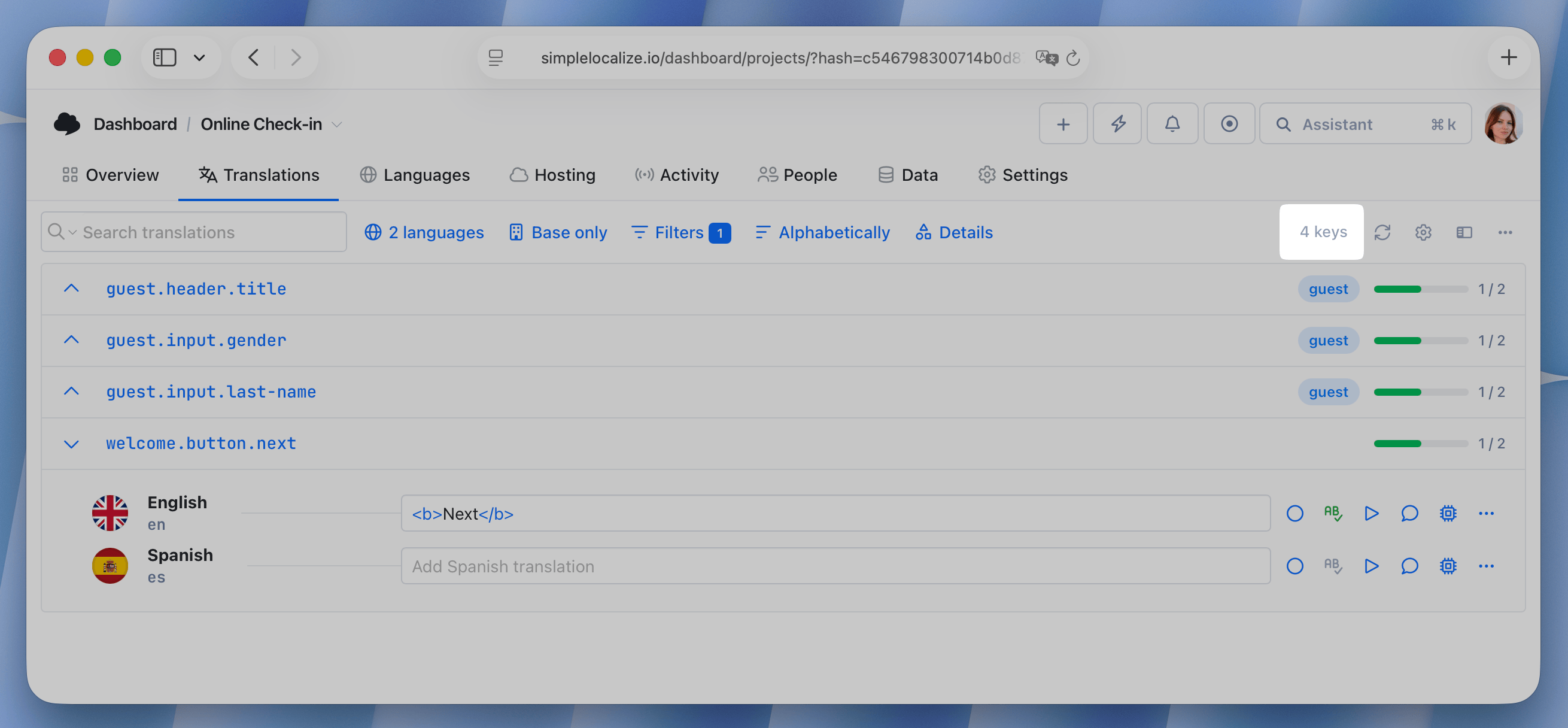
ImprovedQA Checks
QA Checks: rules update
We've updated the QA check rules. This will result in more accurate results when checking translations.- Fixed a bug where QA checks were not working correctly for keys with character limits.
- Fixed a bug where an ampersand could cause incorrect QA check validation.
- Fixed a bug where some checks were duplicated.
- Added detection for an incorrect number of links.
- Updated the links QA check to consider only the second-level domain; paths, TLDs, and subdomains can now differ (e.g., pl.example.com, example.pl, example.com/pl/).
- Added new rules for whitespaces and line breaks.
Translation MemoryImproved
Improved Translation Memory
We've improved Translation Memory to look for matches within the current project, rather than just all other projects. Matches should now also be loaded faster and be more accurate.GeneralImproved
Performance updates
We've made a number of performance improvements to enhance the "Translations" tab. Users with large projects will notice a significant boost in loading times, translation hosting publications, and data exports.LanguagesNew
Fallback language for missing translations
Set fallback languages for missing translations. When enabled, the system uses translations from your configured fallback language during export and in Translation Hosting. Build translation hierarchies: for example, Spanish (Chile, es-CL) can fall back to Spanish (es), and then Spanish to English, ensuring complete coverage and reducing untranslated content.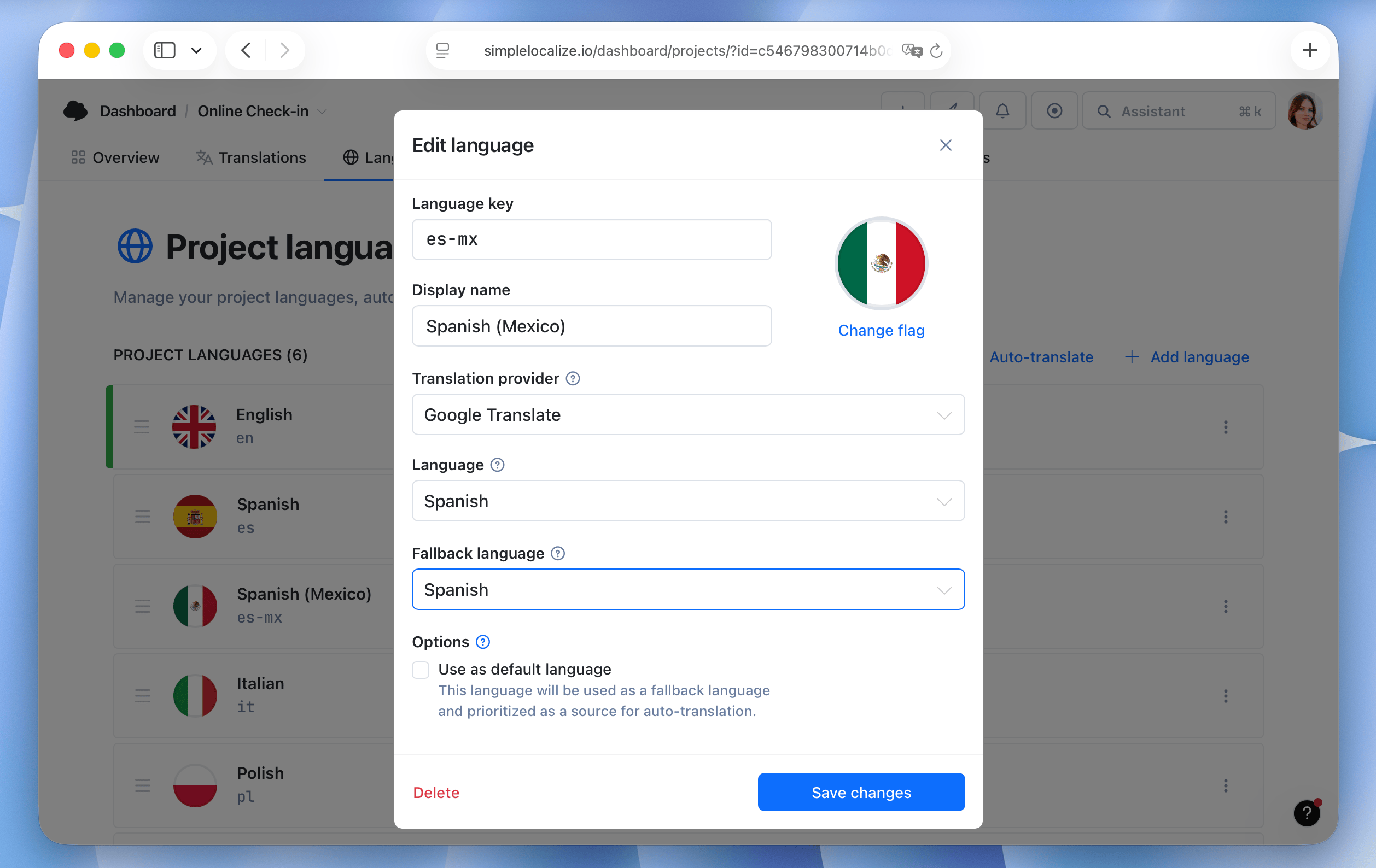
Customer contextImproved
Customer context: Auto-translation and options for customer translations
With this update, we added more features to improve the customer context experience and make it easier for customers to manage their translations.- Auto-translate content based on source customer translation.
- Edit customer translations with plurals using Pluralization Manager.
- Open customer translation in Text Editor for longer content.
- See translation history and changes for each customer translation.
- Copy customer translation.
Auto-translationImproved
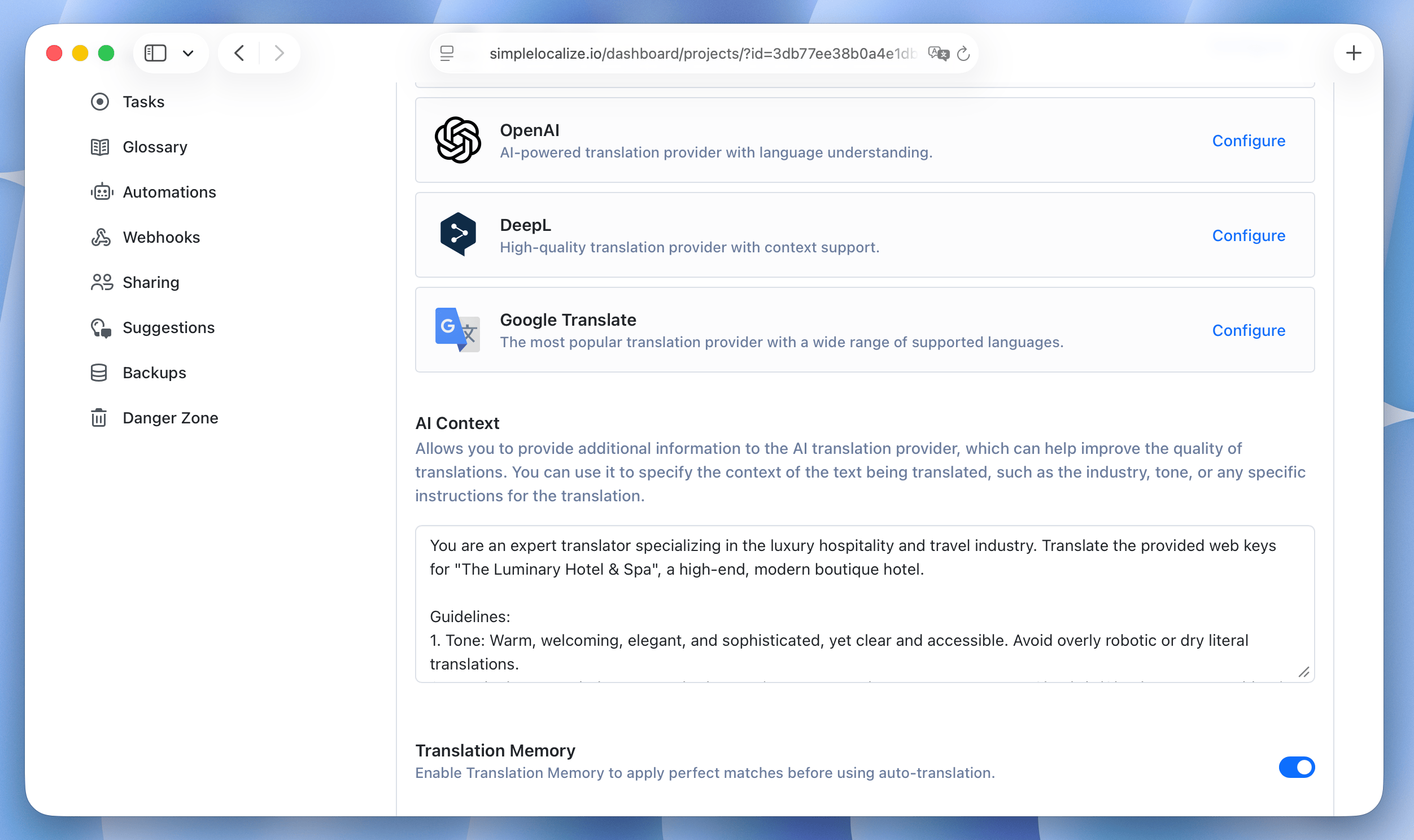
AI auto-translation upgrades: 20x faster generation & unified context
We have improved our auto-translation engine to dramatically speed up your localization workflow. The entire process has been optimized to reduce generation time, especially for large projects with numerous keys and languages, while giving you more control over quality and consistency.- 20x faster generation: AI translations are now generated up to 20 times faster.
- Unified AI context: Configure your AI context once globally for all providers, replacing the old individual "System prompt" setups.
- Smart TM pre-translation: Enable the new option in your Auto-translation settings to automatically apply perfect matches from your Translation Memory before calling the provider.
- Automated Glossaries: Your glossaries are now automatically applied when translating with both AI and DeepL.
GitHub AppImproved
GitHub App: Detect hardcoded strings in code
As a part of checks improvements for GitHub App, we have added a new check that detects hardcoded strings in your codebase. This check scans your pull request changes for any string literals that are not using translation keys and flags them as issues. This way, you can ensure that all user-facing text in your code is properly localized and avoid accidentally introducing hardcoded strings that won't be translated.Learn more in GitHub App Checks documentation.
OverviewNew
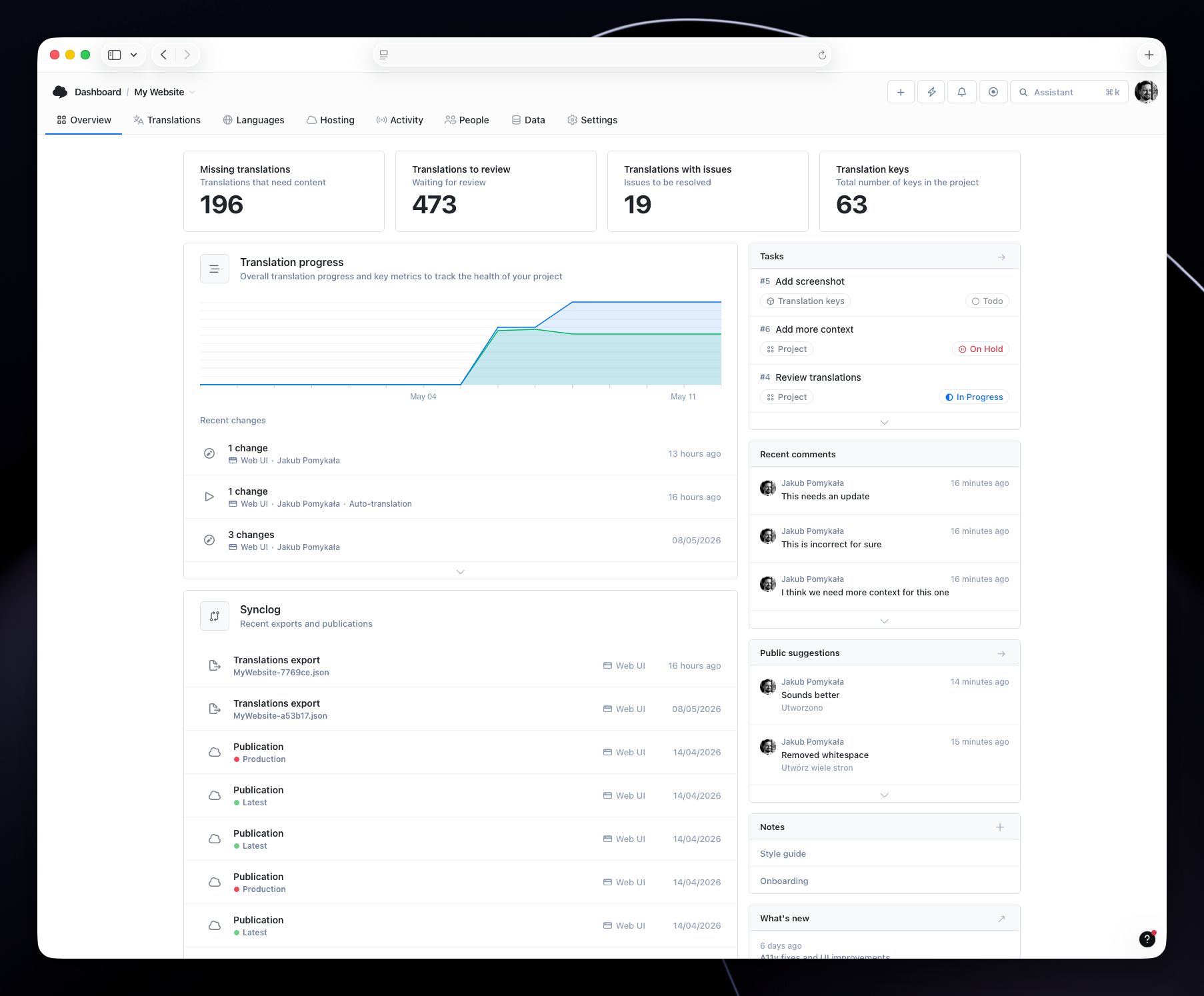
Project Overview
We have added a new Overview page that provides a comprehensive summary of your project's translation status and key metrics. The overview includes recent comments, public suggestions, tasks, and activity related to translations, giving you a quick snapshot of what's happening in your project. You can also create project notes with important information like style guides, translation instructions, or any other details that your translators might need.You can enable the Overview tab in the project settings.
ShopifyImproved
Shopify: Metaobjects support
We have added support for Shopify Metaobjects in our Shopify integration. Reconnect your Shopify store in the integration settings to sync Metaobjects and their translations.ActivityImproved
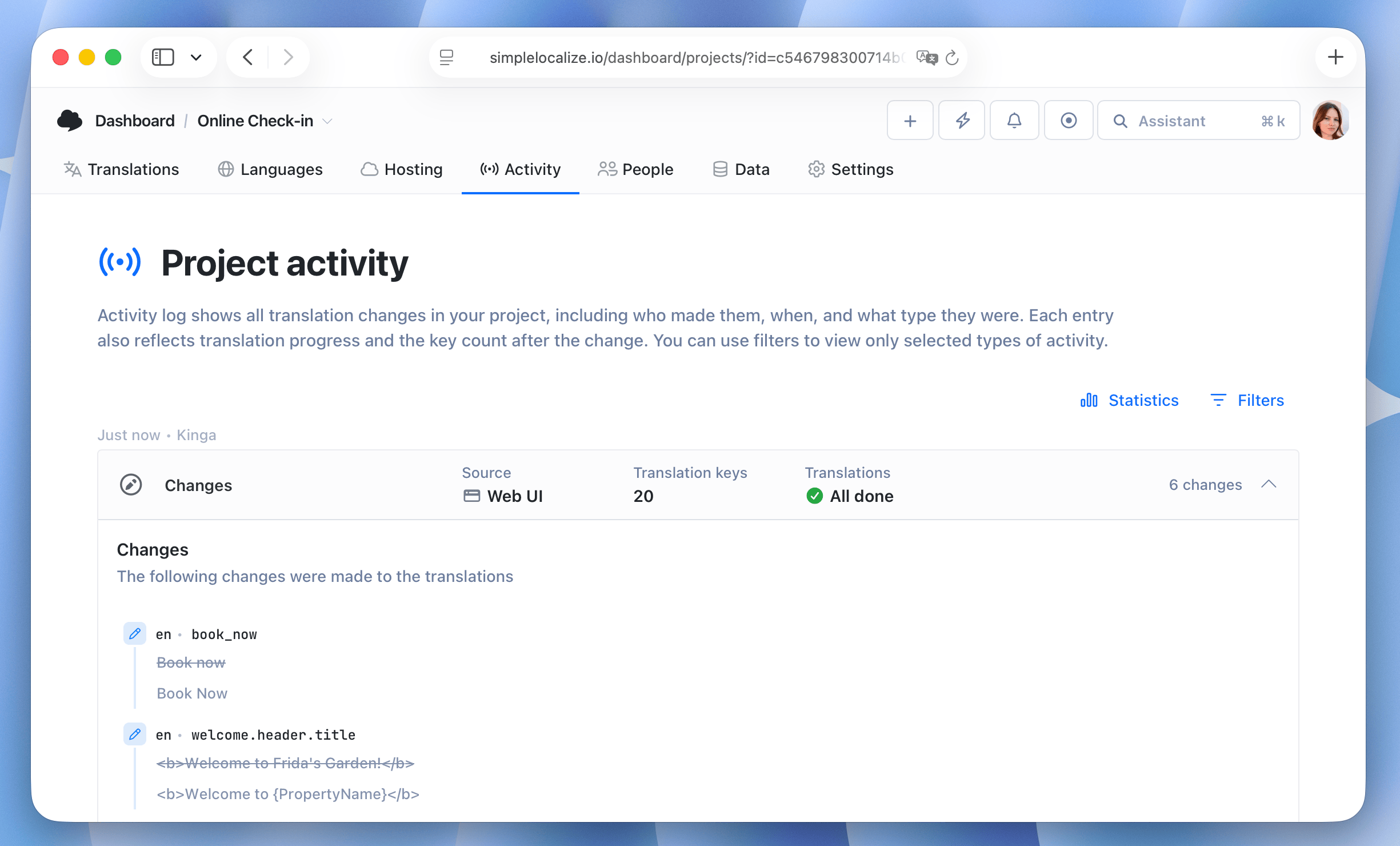
Activity: Translation change details
You can now see the previous translation value whenever a translation is changed. In the Activity tab, click the Changes entry to view the previous value alongside the new one. This makes it easy to track exactly what changed and compare it with the earlier version.