April 10, 2026
Text EditorImproved
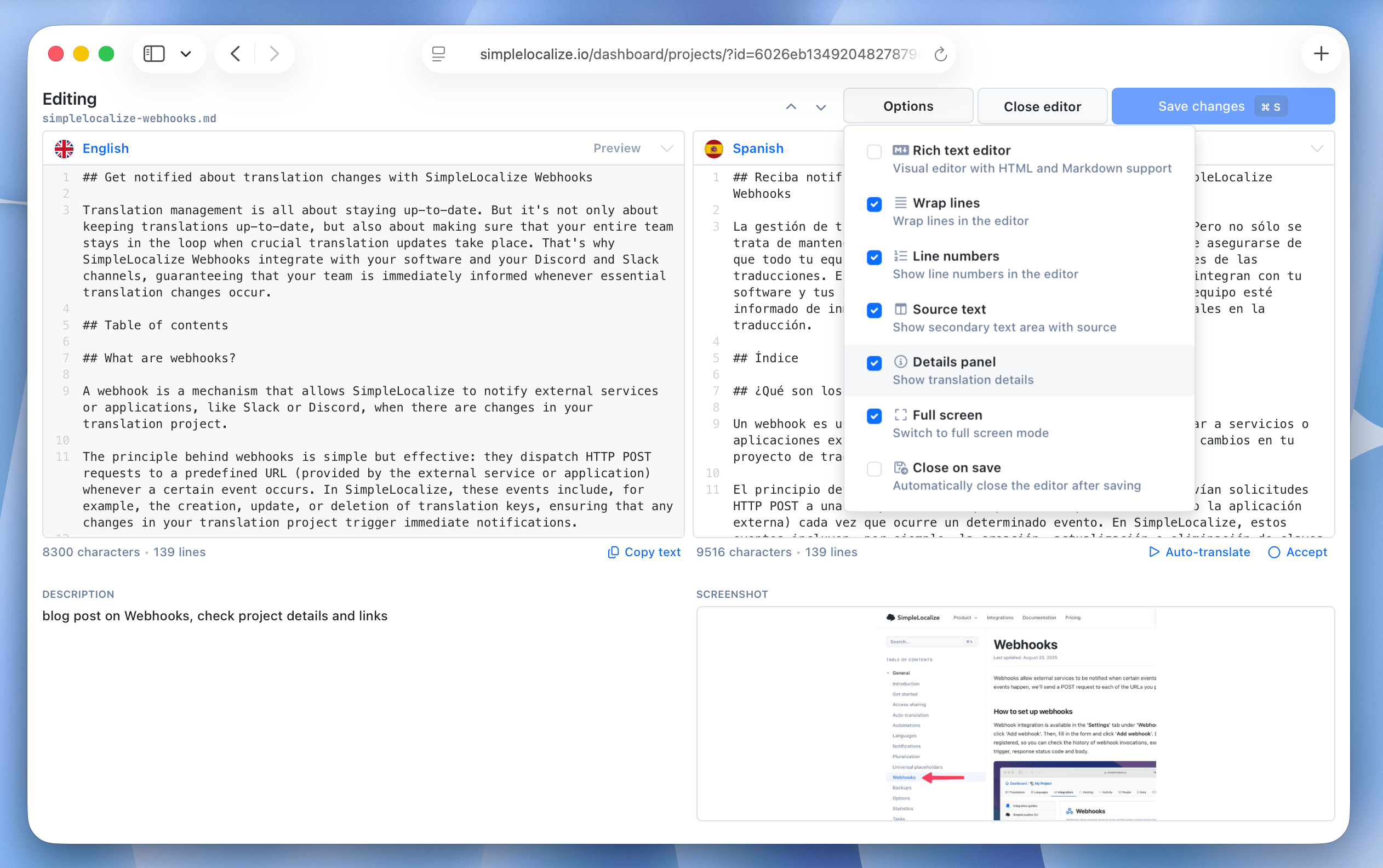
Improved Text Editor for long translations
The Text Editor has been improved to handle long translations more efficiently. This update adds:- Details panel with translation key description and screenshot preview.
- Auto-translate and review options.
- Quick jump to next translation key.
April 10, 2026
WebhooksImproved
Webhooks: Filtering translation change event
Filter translation change events sent to your webhooks based on specific conditions. You can send events only for translation text changes, or only review status changes, or only newly created keys. This way, you can focus on the most relevant changes for your workflow.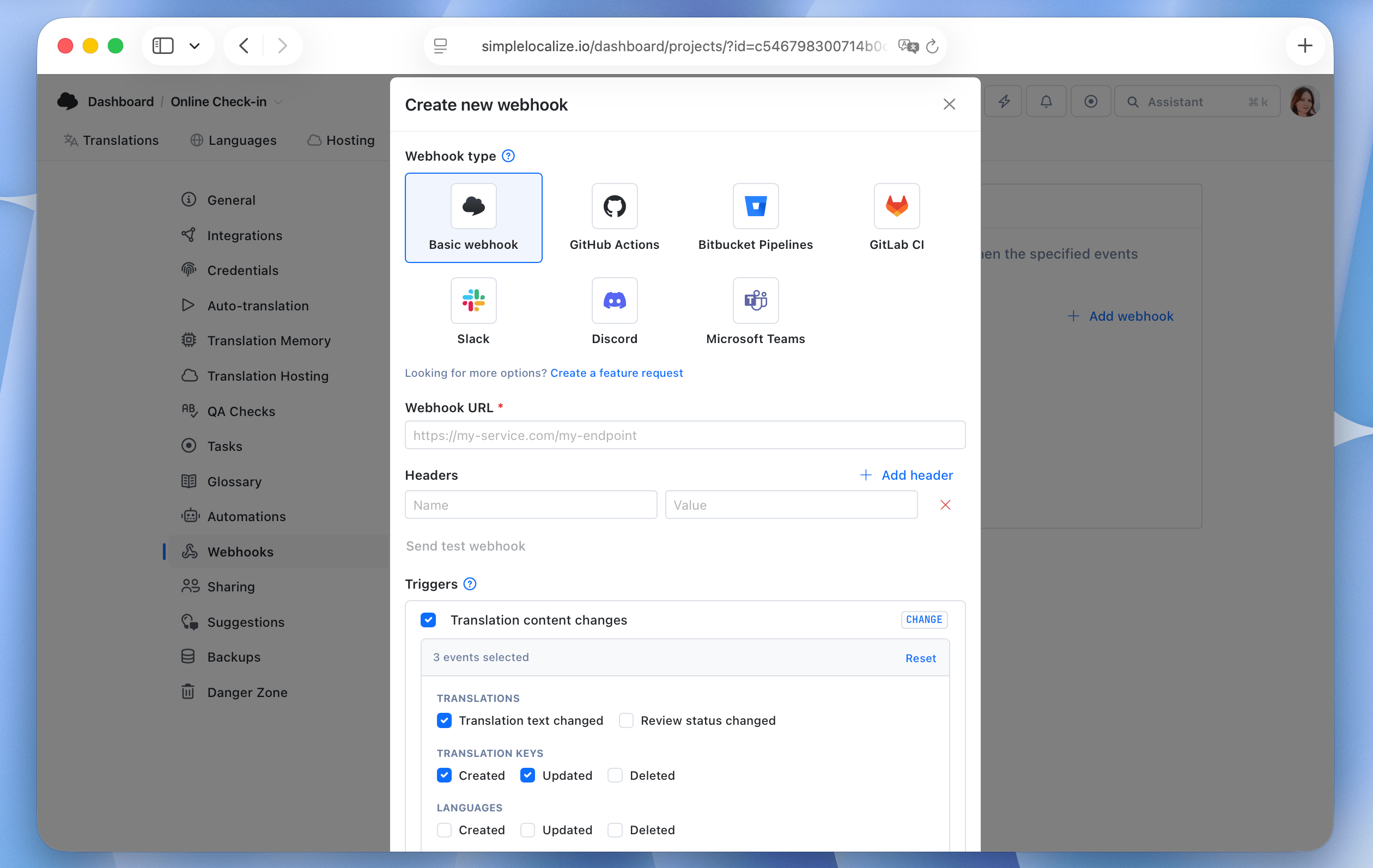
April 9, 2026
Translation EditorNew
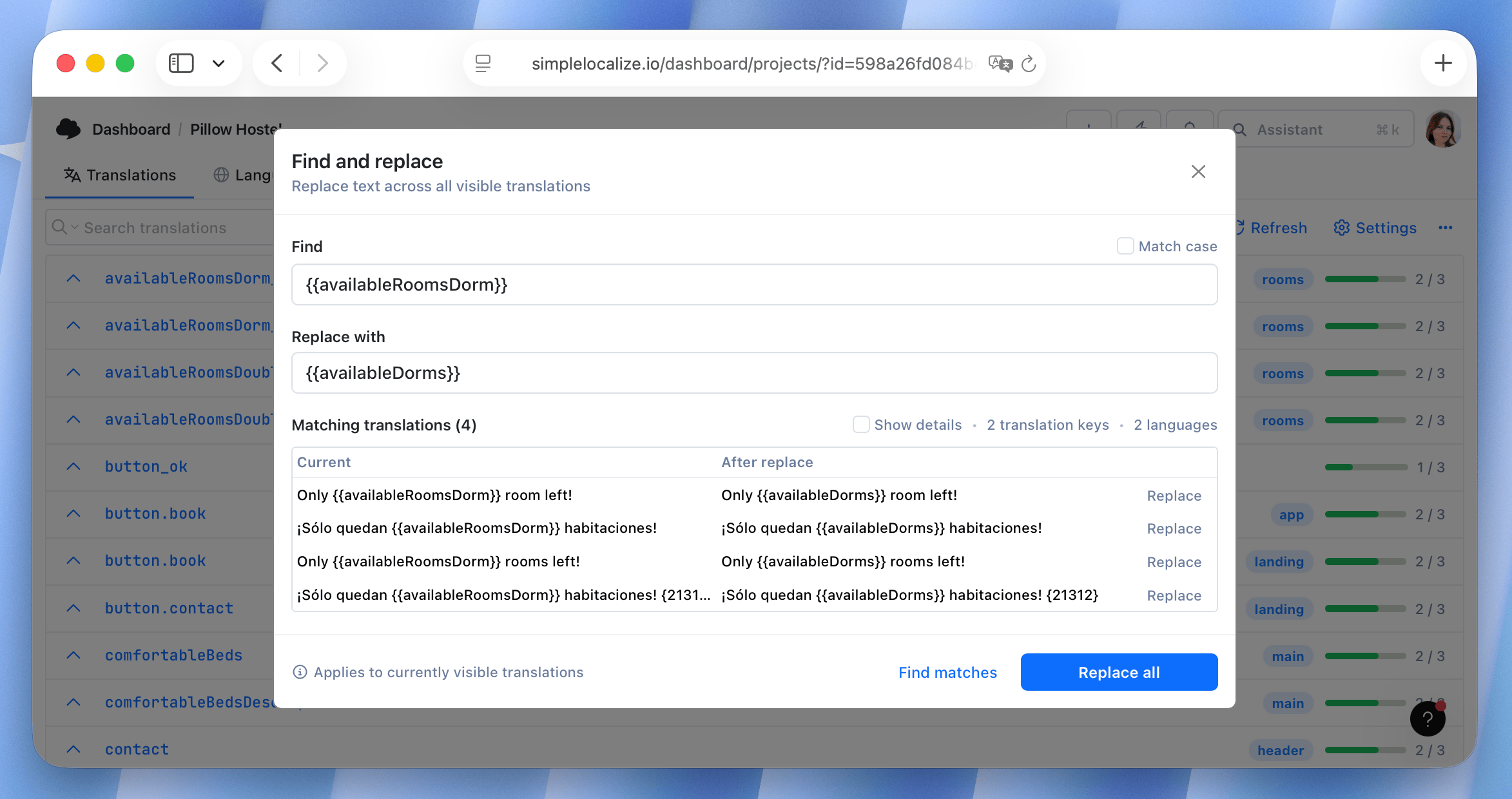
Find and replace in Translation Editor
The new find and replace feature in the Translation Editor allows you to quickly search for specific text across all translations and replace it with new content. It makes bulk editing easier and faster, especially when you need to update a common term or fix a recurring typo across multiple languages.You can access the find and replace functionality directly from the search bar or using the keyboard shortcut Ctrl + Shift + F.
April 9, 2026
Translation EditorNew
Activity: History of translation changes
Quick access the translation change history from the Activity tab. Click on the translation changed entry and choose "Show history" to see all previous versions of the translation, along with details about when the change was made and who made it.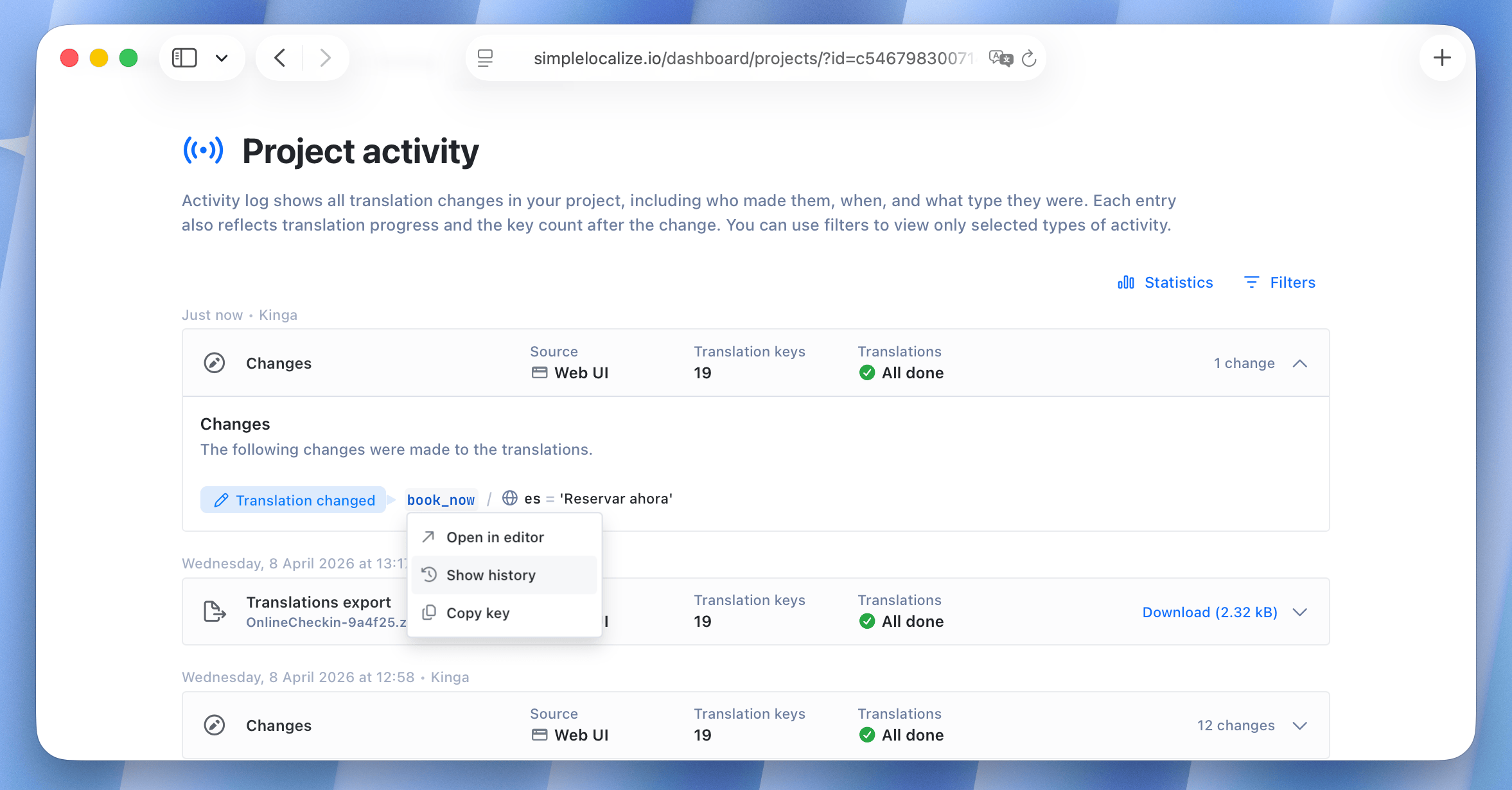
April 8, 2026
Translation HostingImproved
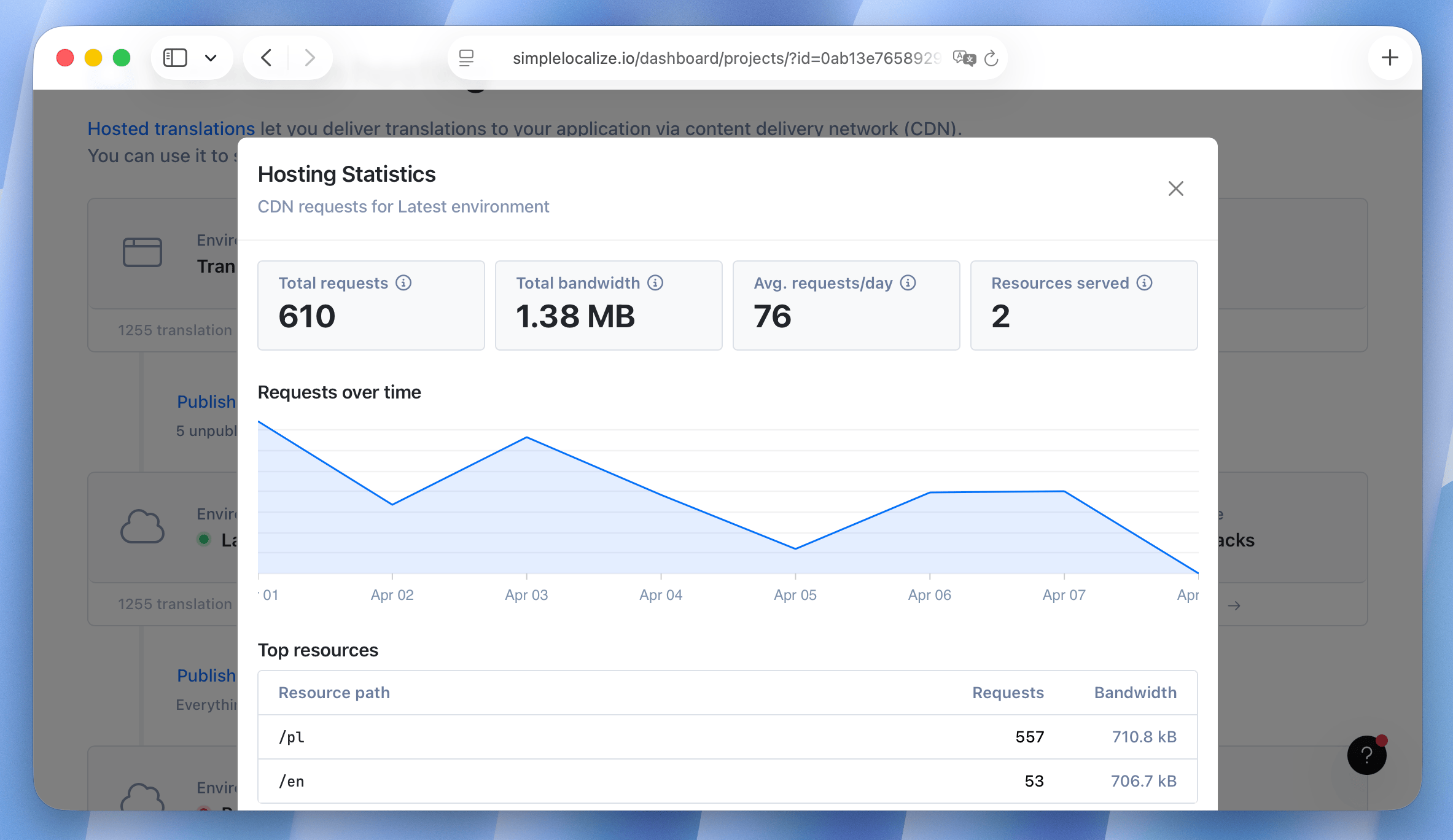
Translation Hosting statistics (beta)
We have added a new statistics section to Translation Hosting environments with insights into the usage and performance of your hosted translations. You can now see information about translation requests and bandwidth usage per language. This data can help you monitor the performance of your hosted translations and make informed decisions about scaling and optimization.Translation Hosting statistics are currently in beta, so make sure to enable beta features in your profile settings to see it. If you have any feedback or suggestions for additional statistics, please let us know!
April 8, 2026
TasksImproved
Email notifications for tasks
Set up email notifications for tasks and mentions to stay informed about updates and changes related to your assigned tasks. You can customize your notification preferences in your profile settings.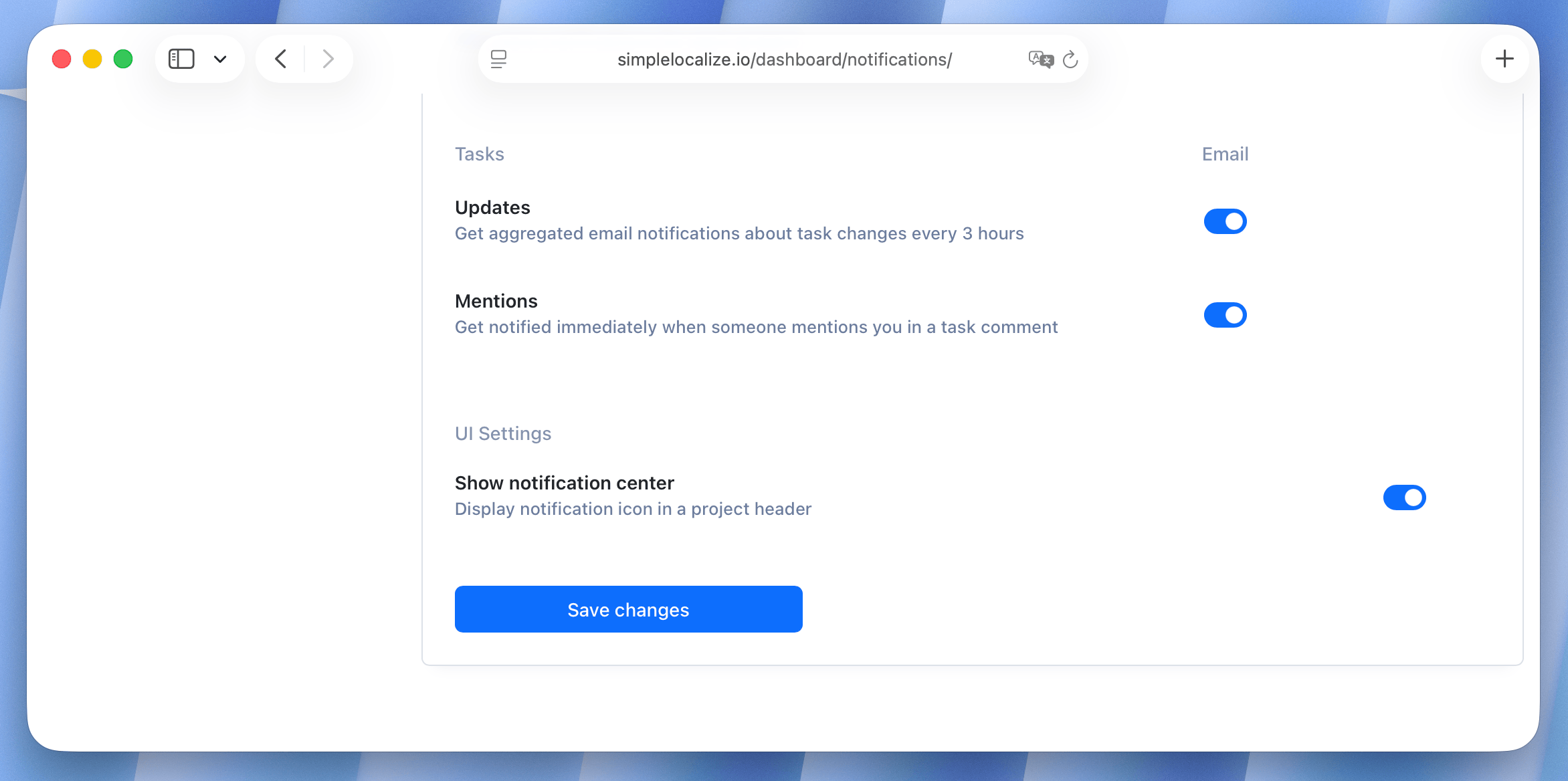
April 8, 2026
Translation EditorImproved
More tag colors
Choose from a wider range of colors when creating translation tags. This should help you better organize and categorize your translations based on your own color-coding system.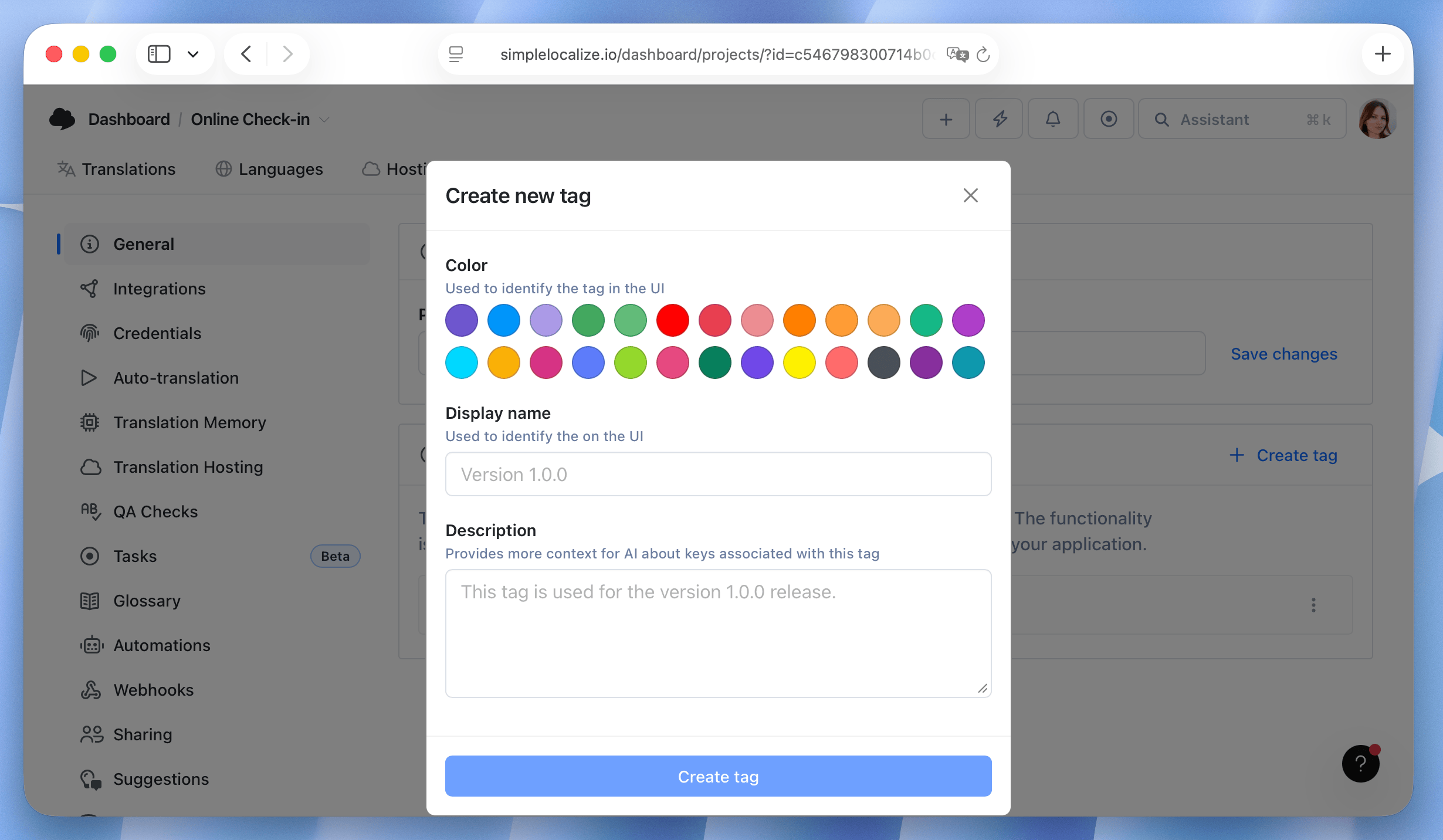
April 7, 2026
GitHubImproved
GitHub App update
We updated GitHub integration:- You can now configure auto-translation via yaml file
- You can now upload file updates on pull requests
March 28, 2026
FigmaImproved
Figma plugin update
We have released version 3.4 of the Figma plugin with several improvements:- It's easier to create new keys when copy-pasting components
- You can now find usages of the key in Figma documents
- Updating screenshots is now easier
- Translators can now use Figma plugin to manage translations
March 24, 2026
NewFile formatsApple
Xcode Localization Catalog (.xcloc) support
We have added support for Xcode Localization Catalog file format, which is used for managing localized resources in Xcode projects.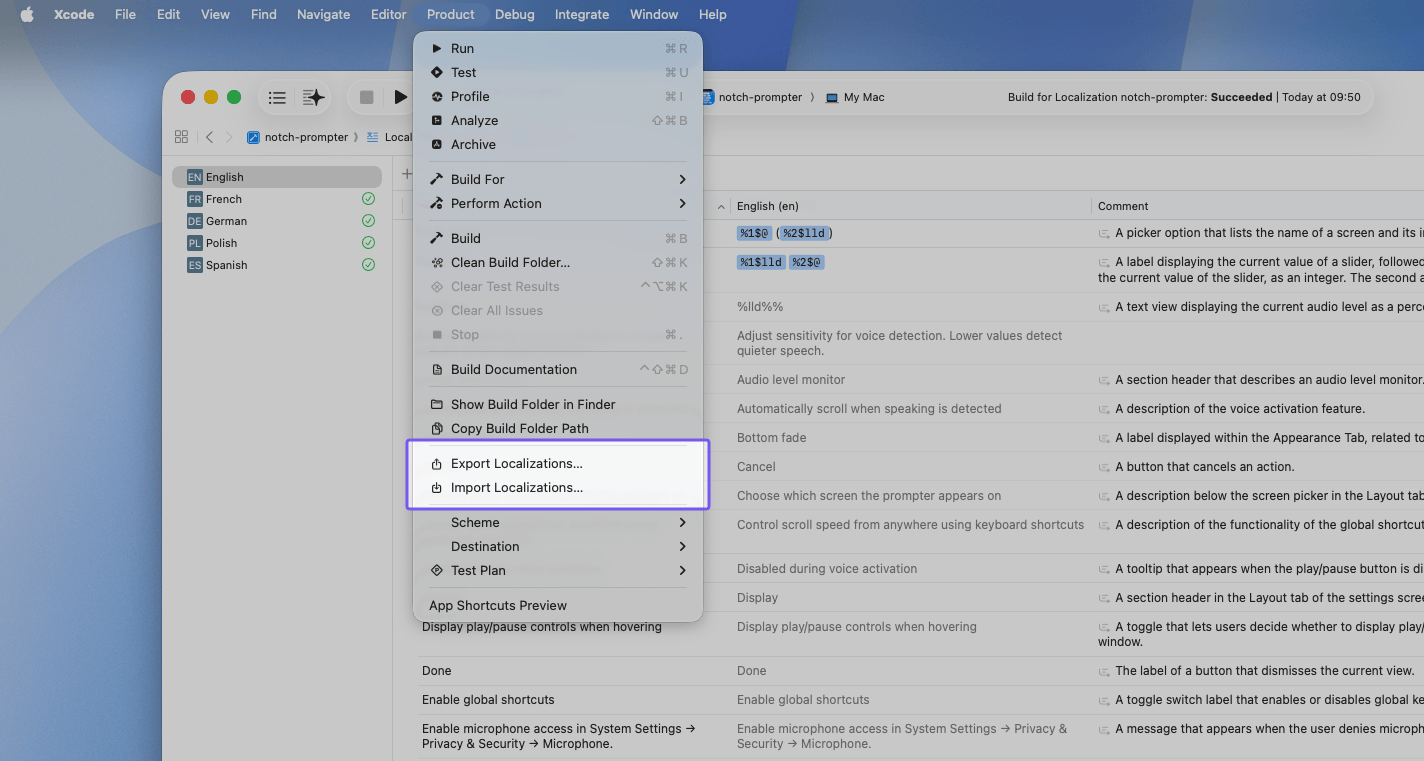
March 20, 2026
NewAuto-translationAI
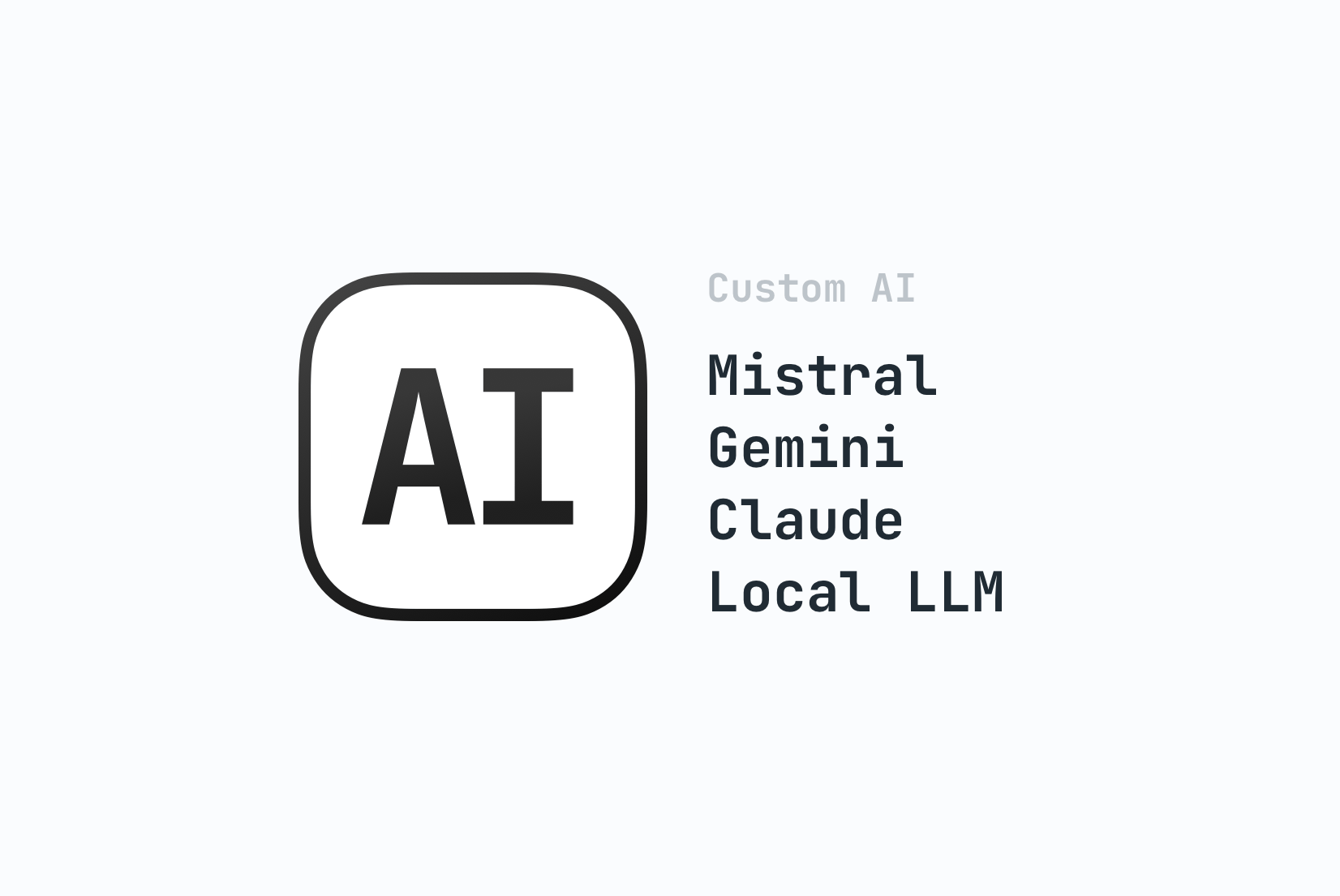
Custom AI providers
You can now use any OpenAI-compatible AI provider. In your project settings, you will find a new Custom AI provider section where you can configure the base URL, endpoint, authorization, model, and additional project context. The Custom AI provider works exactly the same as all other providers integrated with SimpleLocalize.We've also removed model restrictions for OpenAI. You can now use any OpenAI model by entering its name manually. These models are accessed exclusively using your own API key.
Learn more about Custom AI providers.
March 16, 2026
ImprovedFigmaIn-context editor
Figma and In-context editor for Translators
Translators can now use Figma plugin and in-context editor to work on translations directly in the context of the application or design.March 15, 2026
ImprovedFile formats
File format updates
We have made several improvements to file format handling in SimpleLocalize:- ARB now supports custom key properties
- Android Strings now supports
INCLUDE_DESCRIPTIONSexport option - Android Strings now keeps
translatableattribute and automatically disables auto-translation ontranslatable=false - Localizable Strings now supports
UNIVERSAL_PLACEHOLDERS - Localizable Strings Dict now supports
UNIVERSAL_PLACEHOLDERS
March 13, 2026
NewAndroidiOS
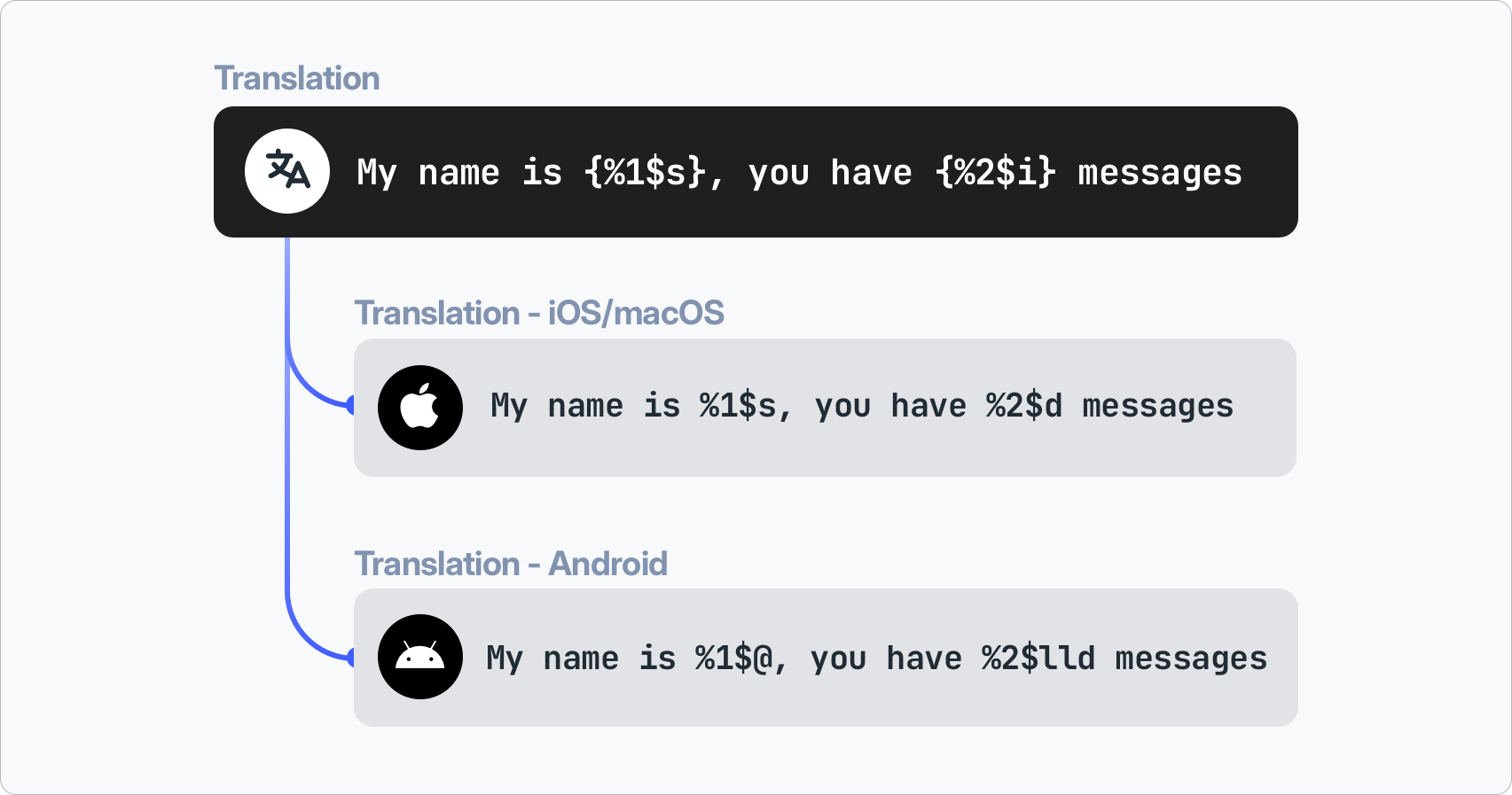
Universal placeholders for Android and iOS
We added support forUNIVERSAL_PLACEHOLDERS that allows you to use the one platform-independent placeholders. With this option enabled, you can use import iOS/Android files with their native placeholders, and they will be automatically converted to the universal format in the editor. This way, you can work with a single set of placeholders for all your translations, regardless of the platform.Learn more about universal placeholders in our documentation: Universal placeholders documentation.
March 9, 2026
NewTranslation Editor
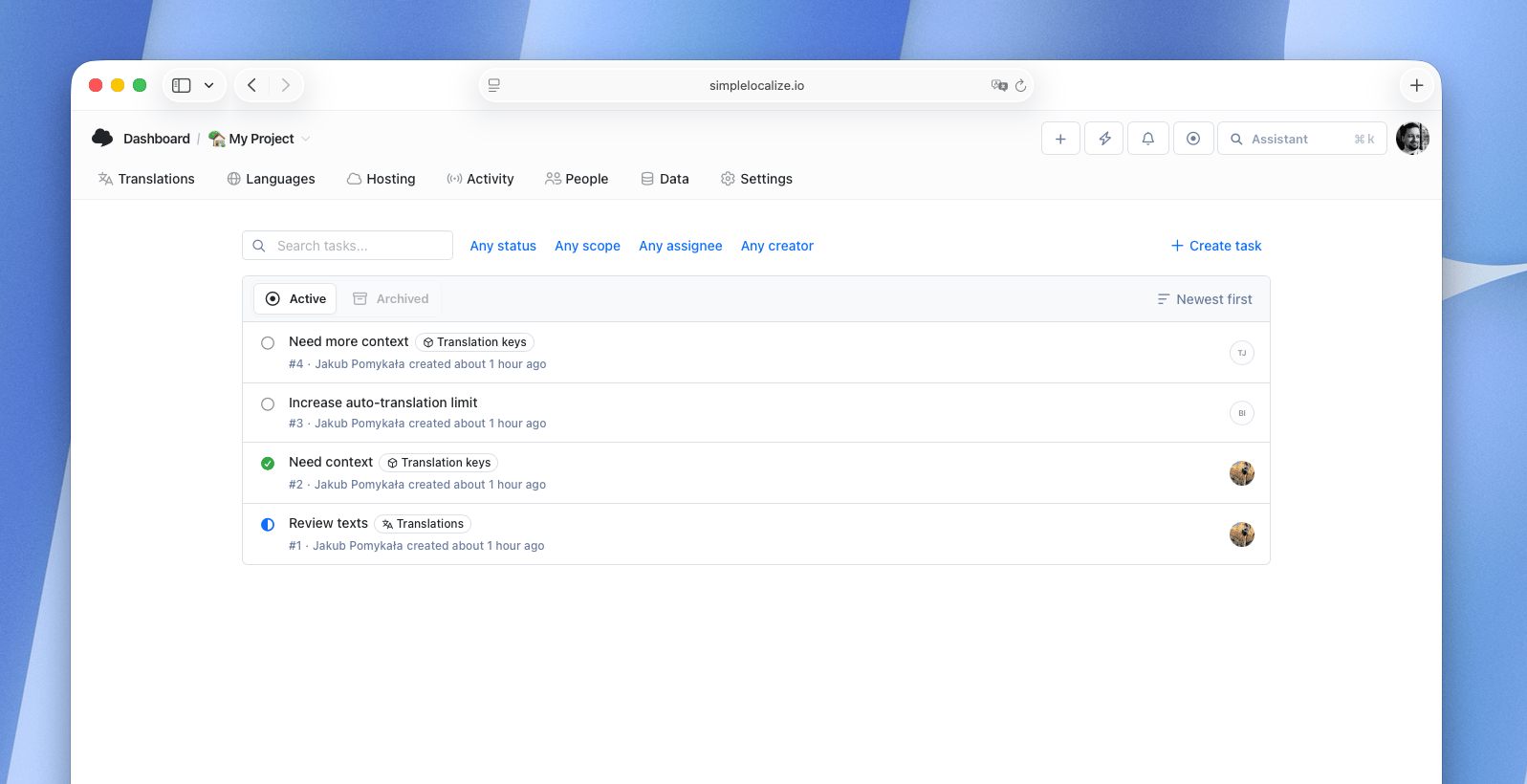
Tasks
You can now create and manage tasks for translations directly in the Translation Editor. Tasks allow you to assign translation keys to team members, and track progress. It's a great way to organize your translation workflow and ensure that everyone knows what they need to do. It also gives translators a way to communicate with developers or product teams to ask questions or clarify requirements for specific translations. By default, tasks module is disabled, so if you want to use it, make sure to enable it in your project settings.Learn more about tasks in our documentation: Tasks documentation.
February 18, 2026
NewTranslation Editor
Easier plural forms translation (beta)
We have introduced a new option to simplify translating plural forms. With the Manage plural forms option in the translation settings, you can now view and edit all plural forms in one place. The interface highlights any missing plural forms with a warning message, so you won't overlook incomplete translations.You can also instantly test pluralization logic by entering different numbers in the preview to see how each form behaves.
This feature is currently in beta. To access it, make sure beta features are enabled in your profile settings.
February 17, 2026
ImprovedTranslation Editor
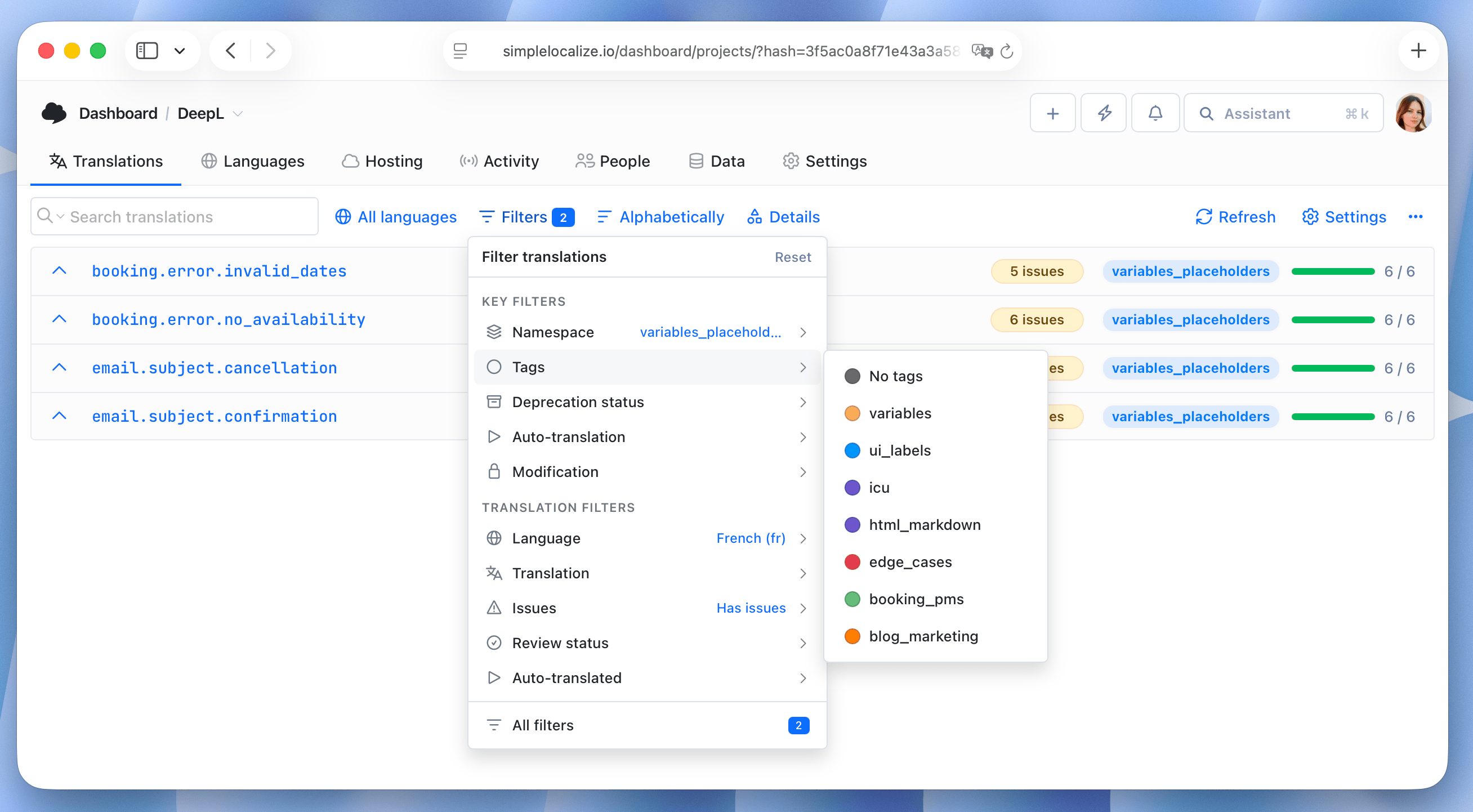
Quick filters (beta)
We have improved filtering options in the Translation Editor by adding quick filters for common conditions. You can now easily filter translations with issues, missing translations, or translations that are not reviewed yet with just one click.The feature is currently in beta, so make sure you have beta features enabled in your profile settings to see it. If you have any feedback or suggestions for additional quick filters, please let us know!
February 16, 2026
ImprovedNotifications
Language-specific notification settings
You can now customize notification settings for your projects and choose to receive notifications only for specific languages. This way, you can stay informed about updates and changes in the languages that are most relevant to you, without being overwhelmed by notifications for all languages in your project.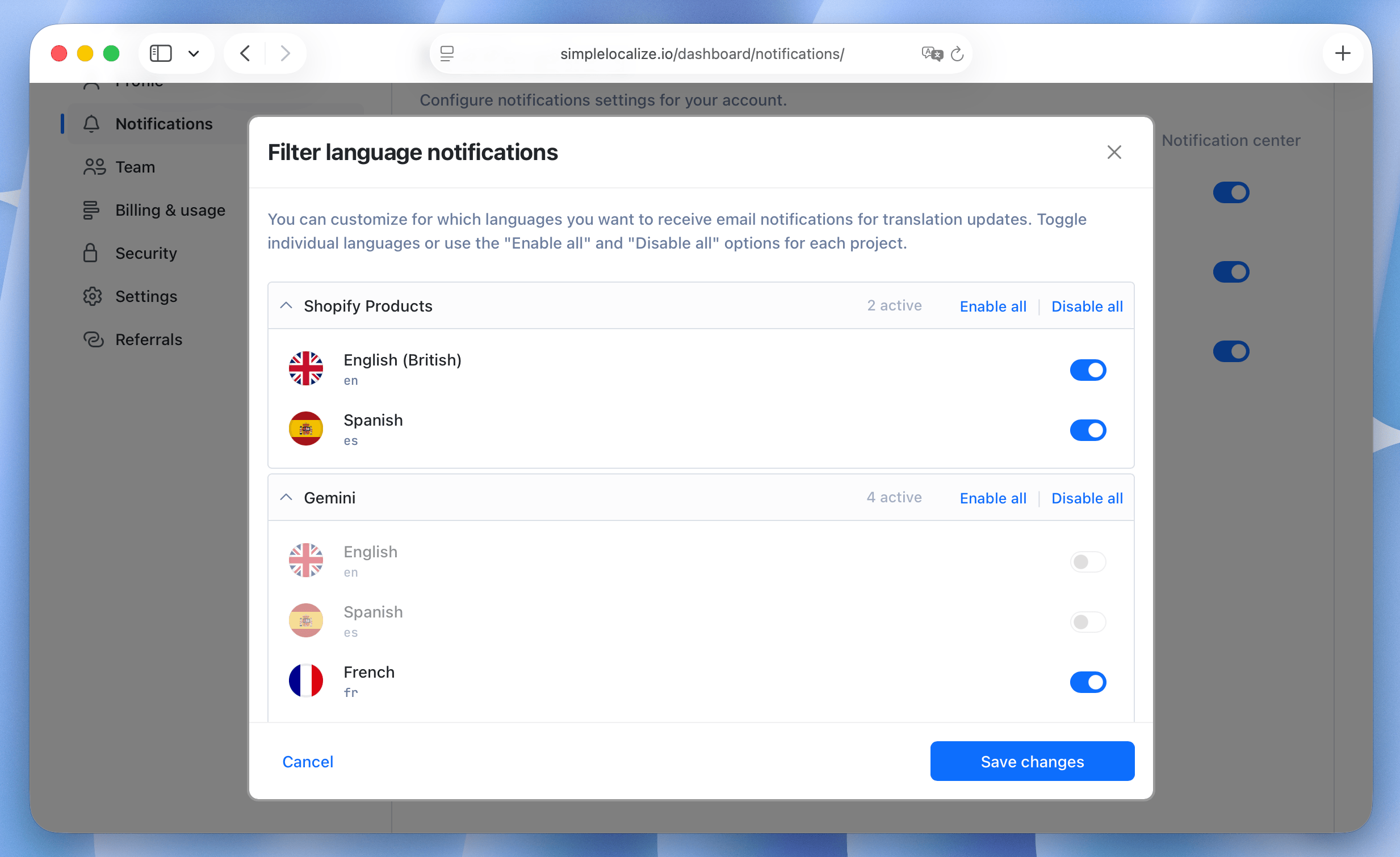
February 11, 2026
NewImport/Export
Upload multiple files at once (beta)
You can now upload multiple files at once when importing translations from the Data tab. It's a great way to quickly import translations for multiple languages without having to repeat the import process for each file separately. The feature is currently in beta, so if you have any feedback or encounter any issues, please let us know!February 10, 2026
NewTranslation Editor
Project switcher
Switch between projects more easily using the new project switcher inside the Translation Editor. It allows you to quickly navigate to other projects without having to go back to the Dashboard. You can open it using the new keyboard shortcut Ctrl + P.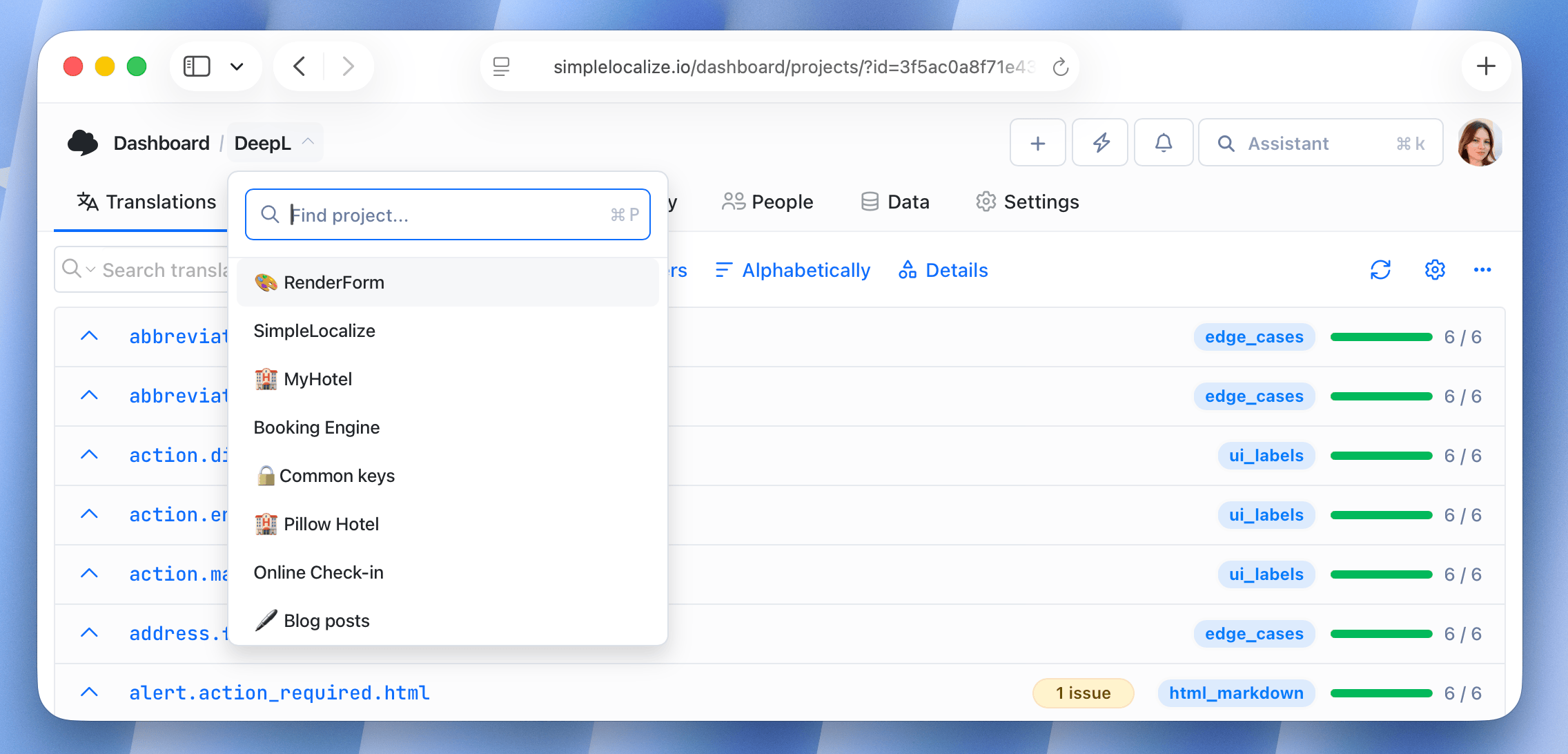
February 6, 2026
ImprovedShopify
Shopify - improved translation key naming
We have improved the translation key naming for Shopify resources. The new naming convention is more consistent and easier to understand, making it easier to manage your translations for Shopify projects. Different content types now have their own namespace to avoid confusion and make it easier to find specific translations.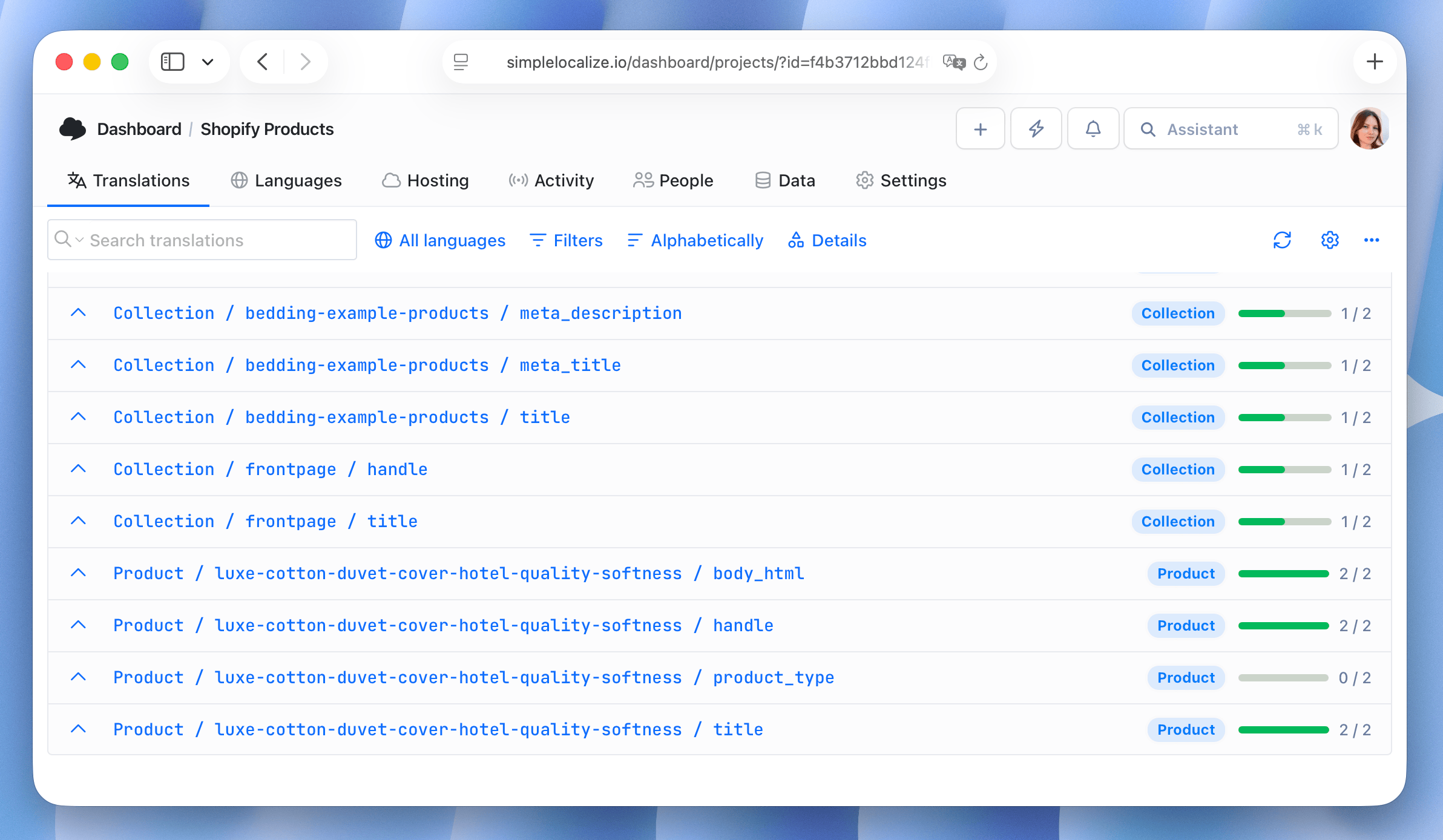
February 6, 2026
NewFile formats
XLIFF 2.0 support
We have added support for XLIFF 2.0 format. You can now import and export translations in XLIFF 2.0, which includes several improvements over the previous version. Learn more in our XLIFF 2.0 documentation.February 3, 2026
Translation HostingImproved
Publication Labels
You can now add publication labels when publishing translations to Translation Hosting. Publication labels allow you to categorize and organize your published translations, making it easier to manage and track different versions or groups of translations in your hosting environment. Labels can be added via REST API. This option is disabled by default, and you can turn it on in your project settings.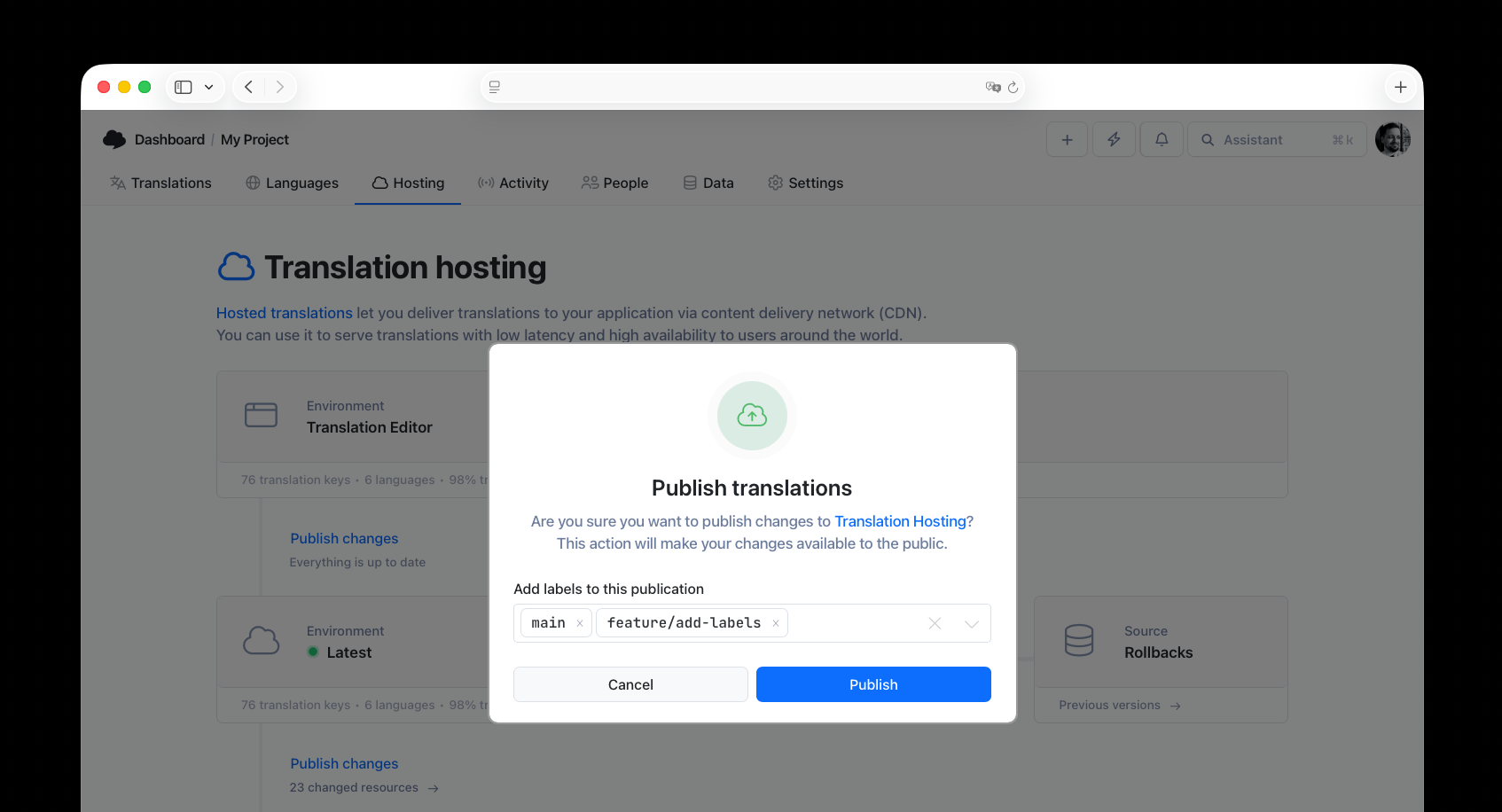
January 28, 2026
IntegrationWebflow
Webflow integration
You can now manage your Webflow site translations using SimpleLocalize. Easily synchronize translations for pages, CMS content and components. Learn more about Webflow integration and install the SimpleLocalize app from Webflow Marketplace.
January 27, 2026
ImprovedAuto-translation
Language, tags and character limit context for AI auto-translations
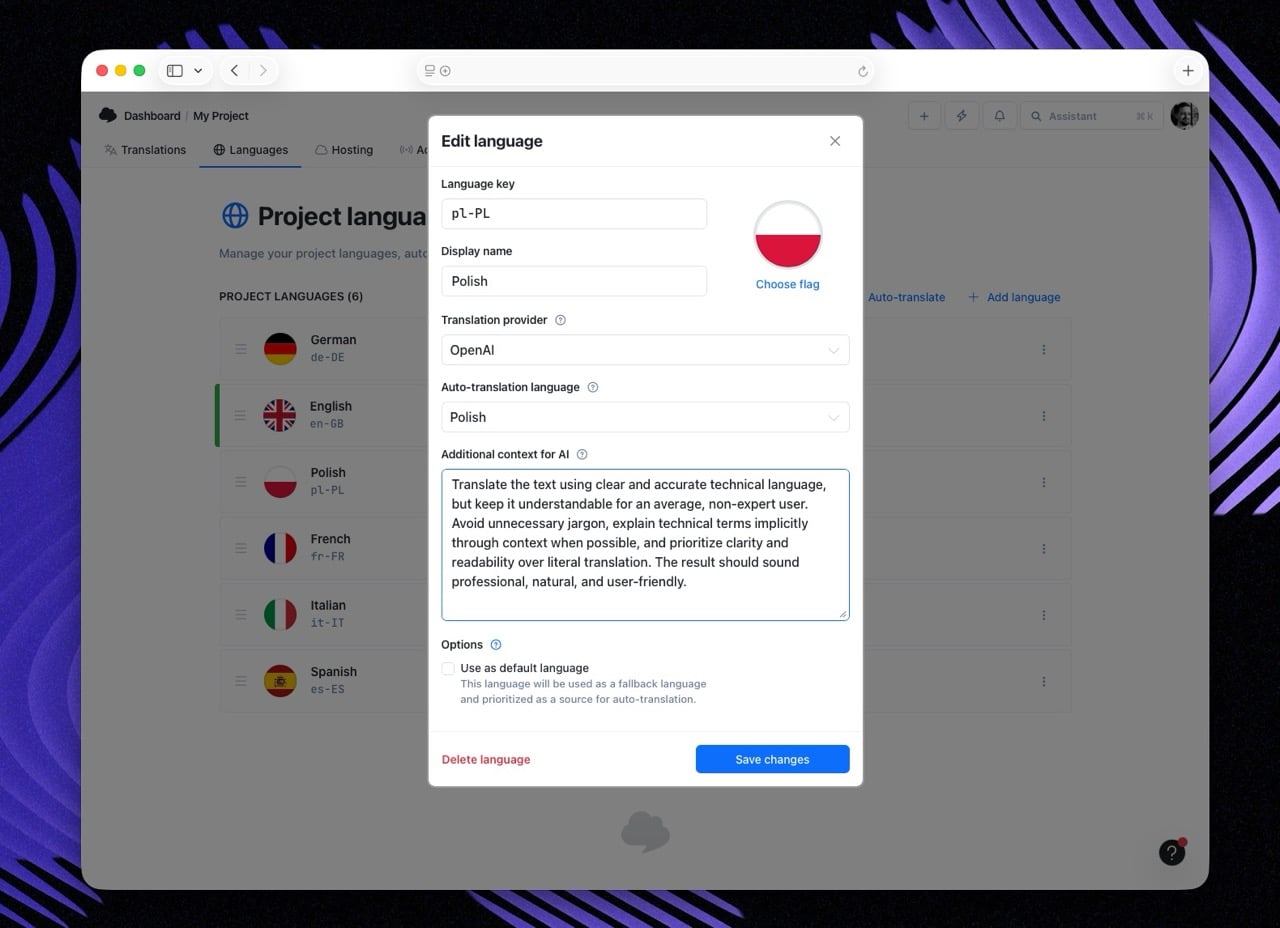
You can now add additional context to improve AI auto-translation quality for specific languages. The context will apply only to the selected language so you can provide language-specific instructions or details to guide the translation process. You can set the context in the language settings (Languages tab) for AI translation providers (like OpenAI or OpenRouter).Additionally, SimpleLocalize now includes translation tags descriptions and character limit as part of the context sent to the AI model during auto-translation requests. It helps the AI better understand the purpose and constraints of the text being translated.
January 27, 2026
ImprovedEditorMarkdown
Easier access to Text Editor for long translations
For translations longer than 800 characters, we now display a convenient button to open the Text Editor directly. This should make it easier to work with lengthy translations, like blog posts or emails.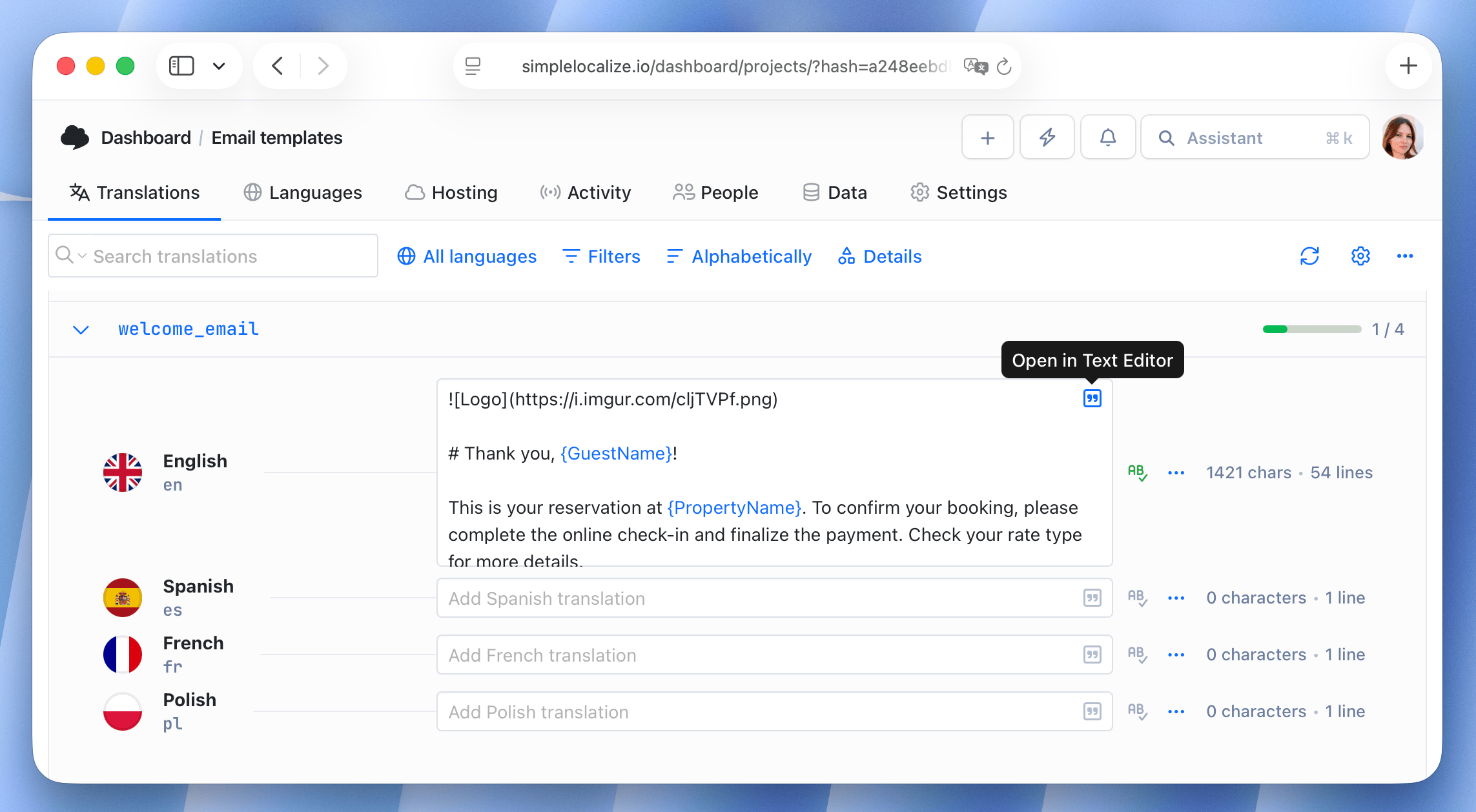
January 27, 2026
ImprovedEditor
Disabled closing Create translation keys window on outside click
To prevent accidental closure of the "Create translation keys" window, we have disabled the ability to close it by clicking outside the window. You can now only close the window by clicking the "Close" button.January 27, 2026
ImprovedQA Checks
QA checks - Character limit check
We have added a new character limit check to our QA checks. This check helps ensure that translations do not exceed a specified character limit, which is particularly useful for UI elements with limited space. Learn more about character limit option.January 12, 2026
ImprovedQA Checks
QA checks - Meaning check (experimental)
It's a small but meaningful improvement to our QA checks. The new meaning check analyzes the semantic similarity, ensuring that the translated text conveys the same meaning as the original. Currently, it is marked as experimental and is disabled by default. You can enable it in your project settings under the QA Checks section.January 9, 2026
ImprovedFigma
Figma - performance improvements & deep linking
We have released version 3.0 of the Figma plugin with several improvements:- Much faster plugin startup time.
- Improved performance when loading and syncing translations for large projects.
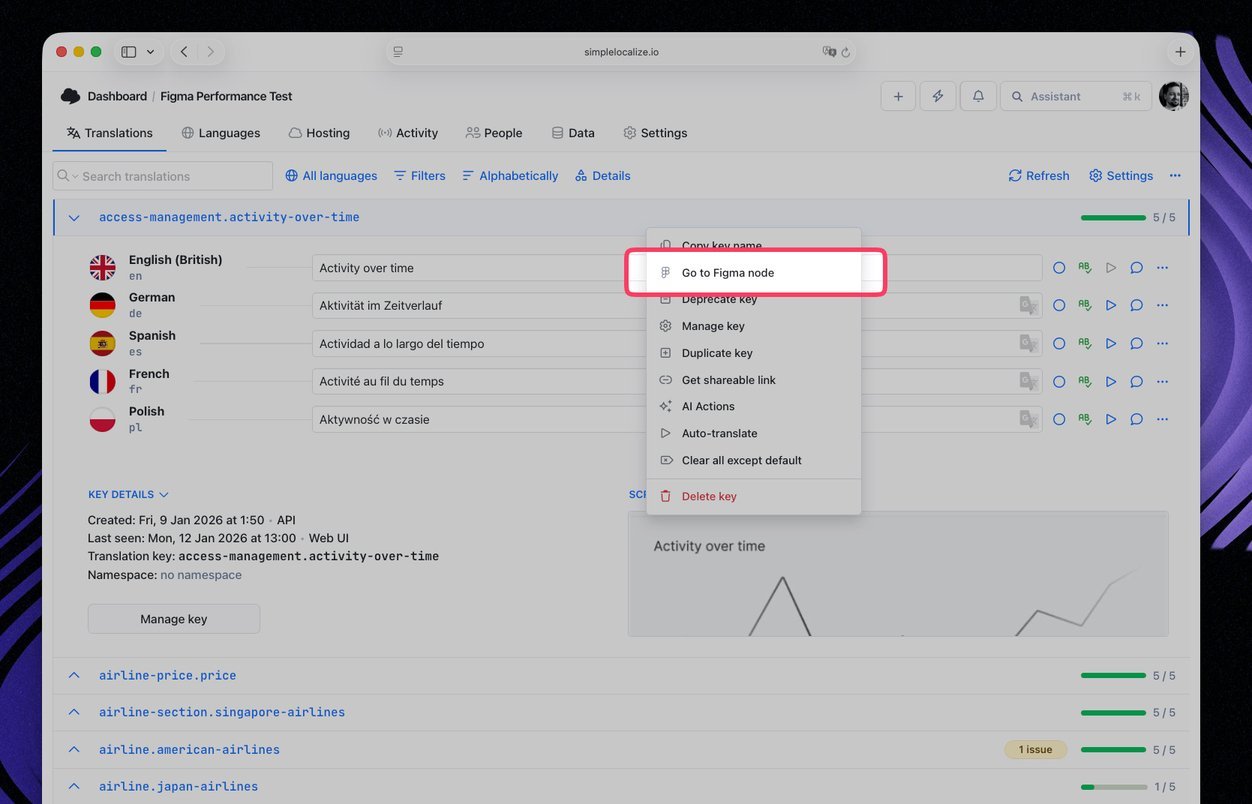
- Added support for deep linking. You can now open Figma elements directly from Web UI.
- Fixed various bugs and issues reported by users.