Why translation matters in modern software projects (UX, growth, and scale)

Why translation matters in software
Imagine opening an app where buttons, error messages, or onboarding instructions are written in a language you don't understand. Even simple tasks become frustrating. Trust erodes quickly, and users abandon the product.
This is what missing or poor translation feels like in software.
In today's market, software is global by default. Users expect products to speak their language clearly and naturally. Translation is no longer a nice-to-have feature but a core part of software usability, accessibility, and user experience.
What translation means in a software context
In software projects, translation is the process of converting user-facing text from one language to another while preserving meaning and clarity in context.
That includes:
- Interface elements (buttons, menus, navigation)
- Onboarding flows and tooltips
- Notifications and system messages
- Error messages and validation feedback
- Help content, FAQs, and support replies
Unlike long-form content, software text is short, contextual, and functional. A single mistranslated word can confuse users or block them from completing an action. For example, mistranslating “Save” as “Store” or using an informal tone in a critical error message can completely change how users interpret an action.
Good translation in software feels invisible. Bad translation is immediately noticeable.
Translation vs localization (brief clarification)
Translation and localization are closely related, but they are not the same.
- Translation converts text from one language to another.
- Localization adapts the entire product experience for a specific locale, including formats, visuals, UX patterns, and cultural expectations.
Translation is often the first step, but long-term success depends on how it fits into your overall localization strategy. For a complete breakdown of approaches, stages, and tradeoffs, see our Ultimate Guide to Localization Strategy.
For a detailed comparison, see our guide on translation vs localization or read more about what localization means in practice.
Why translation directly impacts user experience
Translation is not just a linguistic task; it shapes how users interact with software.
-
Usability and clarity
Clear translations help users understand what actions to take. Poor translations lead to hesitation, mistakes, and support tickets.
An unclear error message can be worse than no message at all.
-
Trust and credibility
Users judge product quality by language quality. Awkward or incorrect translations signal a lack of care and reduce confidence in the product.
-
Accessibility and inclusion
Translation removes language barriers and allows more people to use your software independently, regardless of their native language.
-
Conversion and retention
When users understand what's happening and feel comfortable with the interface, they are more likely to complete sign-ups, upgrades, and key actions.

Common translation pitfalls in software projects
Many software teams run into the same problems when scaling translation:
- Relying solely on machine translation without review
- Hard-coding text strings into the codebase
- Providing translators with no context
- Ignoring regional language differences (e.g., US vs UK English)
- Skipping linguistic QA with native speakers
These issues often result in inconsistent terminology, confusing UI text, and costly rework.
Best practices for translation in modern software
Successful translation workflows are built into development, not added at the end.
-
Prepare your product with internationalization
Separate text from code and use internationalization (i18n) frameworks so content can be translated without engineering changes.
-
Provide context for translators
Short strings need context. Screenshots, descriptions, and character limits help translators choose the right wording.
-
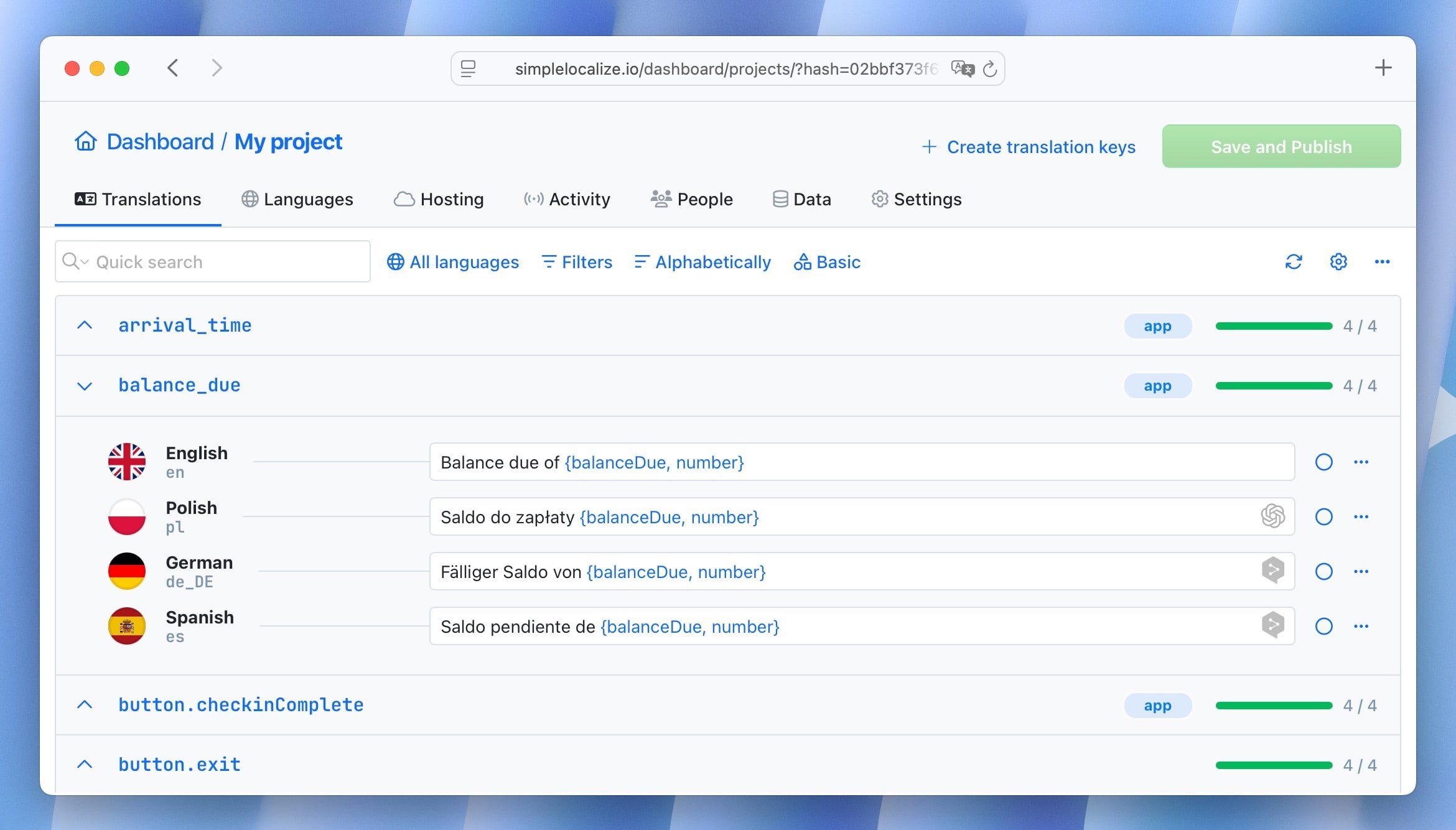
Use a translation management system (TMS)
A TMS centralizes translations, keeps terminology consistent, and automates updates as your product evolves.
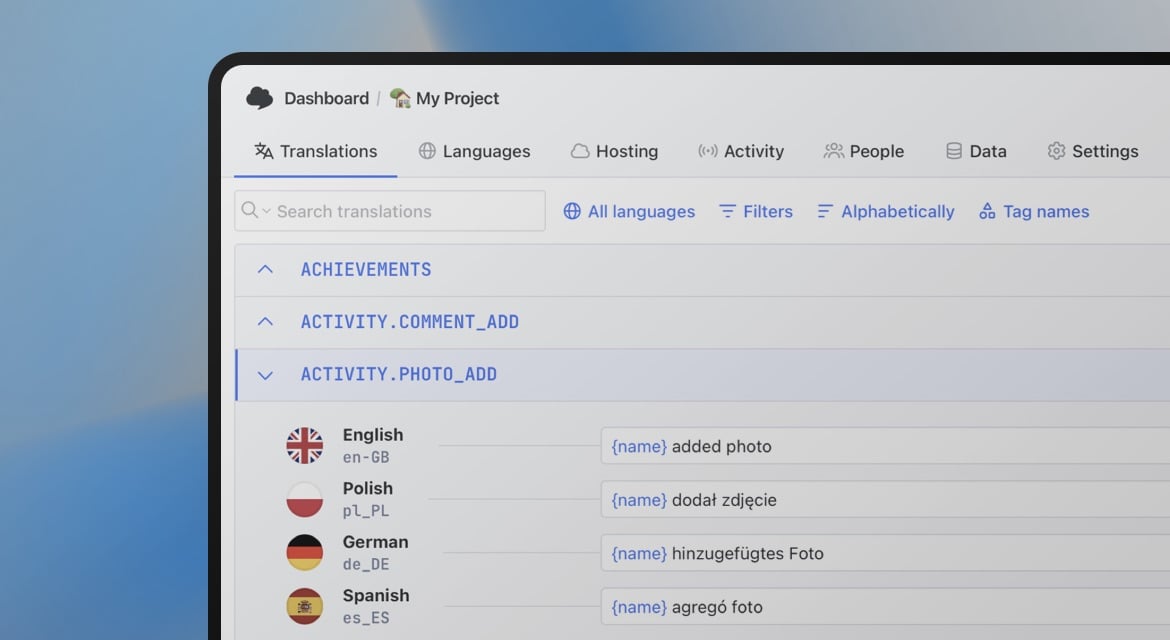
Tools like SimpleLocalize help software teams manage translation efficiently across releases and platforms.
-
Include native speakers in review
Native reviewers catch issues that automated checks miss, especially around tone, clarity, and cultural appropriateness.
-
Treat translation as an ongoing process
As your software changes, translations must stay in sync. Continuous translation and localization reduces last-minute fixes and launch delays.
The human side of software translation
Even with modern AI tools, human translators remain essential for software products.
They understand nuance, intent, and user expectations. They know when a literal translation doesn't work and how to adapt phrasing so it feels natural and intuitive.
A well-translated interface doesn't feel translated at all; it feels like it was written for that user from the start.

Conclusion
Translation plays a foundational role in modern software projects. It makes products usable, trustworthy, and accessible to global audiences.
When handled thoughtfully, translation improves user experience, reduces friction, and supports international growth. When neglected, it becomes a barrier.
By integrating translation into your development workflow and supporting it with the right tools and processes, you create software that truly works for users everywhere.